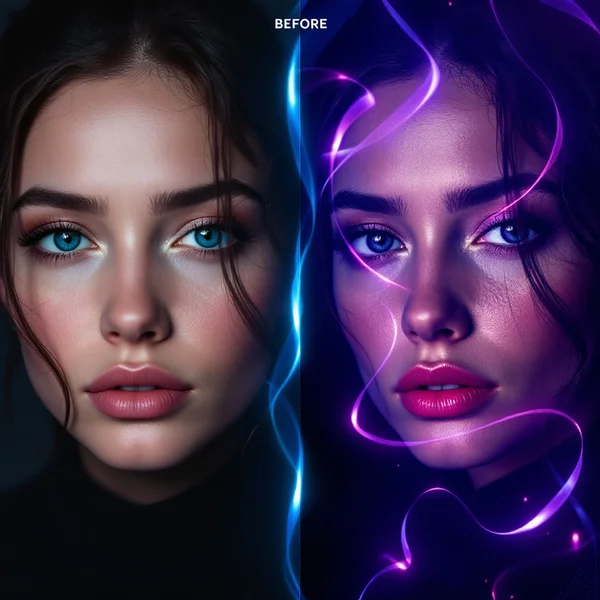
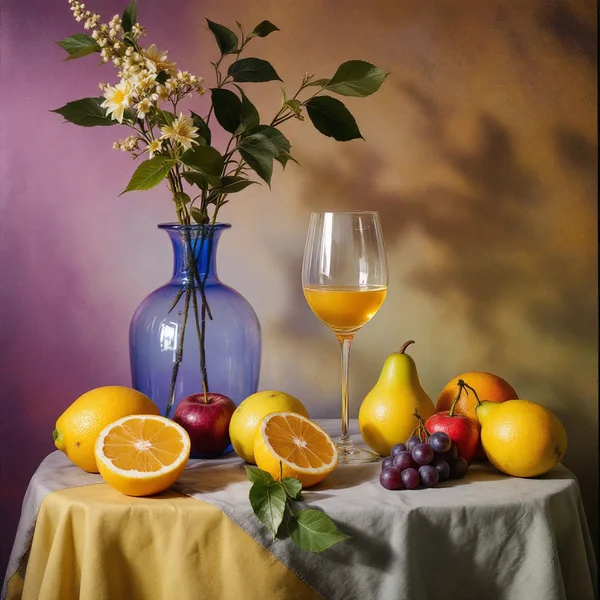
FLUX Schnell Review: Fast, Cheap AI Image Generation Online
FLUX Schnell from Black Forest Labs is the most affordable FLUX model, built for quick tests and bulk generation. Here is what it does, what it costs and when to step up to FLUX Pro.

FLUX Schnell is the budget, high-speed member of the FLUX family from Black Forest Labs. It turns a text prompt into an image for just 1 credit — around a cent. In this FLUX Schnell review we look at where the model shines, how to use FLUX Schnell online in WebTerra AI, what it costs, and how to write prompts that give you something useful on the first few tries.
“Schnell” is German for “fast”, and that is the whole point. This is not the model for a final ad visual with flawless micro-detail. It is the model for exploring: testing an idea, finding a composition, generating dozens of options to pick a direction — and only then polishing the winner in a premium model.
The FLUX line is known for strong photorealism and good prompt understanding. Schnell is its most affordable entry point, and on WebTerra AI it sits in the same dashboard as FLUX Pro, Nano Banana, Recraft and other image models, so moving a prompt from draft to final takes one click.
What FLUX Schnell can do
FLUX Schnell is a text-to-image model: you describe the scene, it returns a picture. Its strengths are speed and cost.
- Text-to-image. Portraits, product shots, landscapes, food, interiors, fashion, architecture and concept art — all from a description.
- Rock-bottom price. 1 credit per 1024×1024 image on every plan.
- Fast turnaround. Designed for near-instant results, which makes it ideal for series and rapid iteration.
- Image reference. The model card allows one reference image alongside your prompt.
- Presets. Cinematic portrait, product shot, landscape, food photography, social media creative, interior, fashion editorial, lifestyle photo, architecture and exterior, fantasy and concept art.
The practical consequence: the 60 welcome credits that buy a handful of images on premium models buy sixty images here.
FLUX Schnell specs
| Spec | Value |
|---|---|
| Developer | Black Forest Labs |
| Type | Image generation |
| Input | Text |
| Reference images | Up to 1 |
| Size used for pricing | 1024×1024 |
| Price per image | 1 credit, about $0.01 |
| Where to run it | WebTerra AI dashboard, image generation |
How to use FLUX Schnell in WebTerra AI
- Sign up for WebTerra AI — 60 free credits land in your account straight away.
- Open image generation in the dashboard and choose FLUX Schnell.
- Pick a preset or write your own prompt: subject, setting, lighting, style, camera angle.
- Optionally attach a reference image.
- Generate. Because it is so cheap, run several variations of the same prompt.
- Save the keepers, or move your best prompt to a premium model for the final render.
All image models are listed on the AI image generation page.
FLUX Schnell pricing
| Plan | Credits | Price in USD |
|---|---|---|
| Starter | 1 | about $0.013 |
| Pro | 1 | about $0.012 |
| Ultra | 1 | about $0.012 |
One credit per image on every plan. The 60 free credits you get on sign-up equal 60 FLUX Schnell generations — plenty to try every preset and develop your own prompting style. Credit packs are described on the pricing page.
Prompt examples for FLUX Schnell
1. Cinematic portrait
Cinematic portrait of a middle-aged fisherman on a pier at dusk, weathered face, warm side light, teal and orange color grading, shallow depth of field, 85mm lens
Test a look and lighting setup for a cover, poster or storyboard frame.
2. Product shot
Product photo of a matte black ceramic coffee mug on a light oak table, soft daylight from a window, minimalist Scandinavian style, clean background
A quick mock-up for a listing or a website layout.
3. Food photography
Overhead shot of a rustic bowl of tomato soup with fresh basil, crusty bread on the side, dark wooden table, natural light, appetizing food photography
Menu imagery, café social posts or a recipe blog header.
4. Social media creative
Bold flat-lay of summer accessories on a bright yellow background, sunglasses, straw hat, seashells, hard shadows, vibrant colors, top-down view
An eye-catching visual for a post or Story.
5. Architecture
Modern two-story house with large glass windows and a flat roof, surrounded by pine trees, warm interior light at blue hour, architectural visualization
A fast concept render to discuss with a client before detailed design work.
6. Fantasy concept art
Epic fantasy landscape, ancient stone castle on a cliff above a misty valley, dramatic sunset sky, concept art, highly detailed
Mood exploration for a game, book cover or tabletop campaign.
Tips for writing FLUX Schnell prompts
Use a subject → setting → light → style structure
This is the most dependable formula for fast models. Lead with the main subject, then the setting, the type of light, and finally the visual style: “a red bicycle — on a cobblestone street — morning fog — film photography”.
Swap adjectives for specifics
“Beautiful” and “stunning” add almost nothing. Materials, colours, time of day and lens choice are what the model actually responds to.
Exploit the price for iteration
The winning strategy with FLUX Schnell is volume. Generate four or five variations, choose a direction, change one detail, repeat. Even a long series costs less than a single premium generation.
Don’t rely on it for lettering
For logos and posters with readable text, dedicated models do better. Use Schnell for the imagery and add text in a design tool or a typography-focused model.
Promote winners to a bigger model
Found a composition you like? Run the same prompt in FLUX.2 Pro or FLUX 1.1 Pro to produce a more detailed final version. The idea hunt cost you only a few credits.
Workflow: from draft to final image
FLUX Schnell works best as the first stage of a pipeline:
- Brainstorm. Write three or four different takes on the idea — minimalist, retro, neon, natural light — and generate each two or three times. Total cost: a few credits.
- Pick a direction. Keep the one or two options that capture the concept and note what works: colour, angle, light.
- Refine. Add the missing details to the prompt and run another series, changing one parameter at a time.
- Finalise. Move the polished prompt to FLUX.2 Pro or FLUX 1.1 Pro for maximum detail — or keep the Schnell result if it already does the job.
This is especially useful in teams: instead of debating what a banner “should feel like”, you show colleagues ten visual options in five minutes.
A quick checklist before you use an image
Fast models produce a lot of output, so it helps to have a short review routine before anything goes public:
- Hands and faces. Zoom in on fingers, eyes and teeth — these are the areas where generated images most often slip.
- Background logic. Check that lines, horizons and architecture make sense, and that no objects merge into each other.
- Accidental text. Signs, labels and packaging may contain pseudo-letters. Crop them, blur them or regenerate.
- Brand fit. Does the palette match your brand guide? If not, add the exact colours to the prompt.
- Product honesty. If the image represents a real product, make sure it does not suggest features the product does not have.
When an image passes the checklist but needs more polish, that is your cue to rerun the prompt in a premium model rather than keep iterating in Schnell.
Common beginner mistakes
- Prompts that are too short. “Cat” gives you a random cat. “Ginger cat asleep on a windowsill, morning sun, soft shadows” gives you a predictable frame.
- Contradictory instructions. “Minimalist” and “highly detailed, lots of objects” in one prompt forces the model to guess.
- Twenty objects in one scene. The more items you list, the more likely some get lost. Keep what matters.
- Judging from one result. At one credit per image, always look at three variations before rewriting your prompt.
Use cases
- Designers and art directors. Mood boards and composition studies before final production.
- Social media teams. High-volume illustrations for a content calendar.
- E-commerce sellers. Draft banners and mock-ups before spending on premium renders.
- Bloggers and writers. Article illustrations, covers and thumbnails.
- Developers and product managers. Placeholder art for prototypes and UI test data.
- Beginners. The cheapest way to learn prompting without worrying about burning credits.
FLUX Schnell vs other image models
| Model | Focus | Choose it when |
|---|---|---|
| FLUX Schnell | Fast and cheap | Drafts, tests, bulk generation |
| FLUX.2 Pro | Photorealism, portraits | Final photoreal images |
| FLUX 1.1 Pro | Proven classic | Reliable quality for everyday work |
| Nano Banana 2 | 4K, text in images | High resolution and lettering |
| Recraft V3 | Vector graphics | Logos, icons, typography |
For final photoreal output, see the FLUX.2 Pro review or the FLUX 1.1 Pro review. If you need text and high resolution, read about Nano Banana 2; for logos and vector style, Recraft V3. FLUX Schnell wins when price and volume decide — it is the cheapest way to validate an idea before spending credits on a premium model.
Limitations
- Speed over detail. For fine textures, tricky hands or flawless skin, the larger FLUX models will do better.
- Text in images. Lettering may come out garbled; use Recraft V3, Ideogram V3 or Nano Banana for typography.
- One reference only. Multi-image edits are a job for dedicated editing models.
- Variation. The same prompt gives different results each time — which is exactly why series are the right workflow.
FAQ
How much does a FLUX Schnell image cost?
1 credit on any plan — about one cent for a 1024×1024 image.
How many images can I make for free?
The 60 welcome credits equal 60 FLUX Schnell generations.
How is FLUX Schnell different from FLUX Pro?
Schnell is tuned for speed and minimum cost; the Pro models are tuned for final quality and detail. They pair well: ideas in Schnell, finals in Pro.
Can I add a reference image?
Yes, the model card supports one reference image.
Is it good enough for commercial work?
For drafts, mock-ups and social content, yes. For hero ad visuals with strict detail requirements, step up to a larger model.
Which subjects work best?
The typical preset scenes — portraits, products, food, interiors, landscapes, architecture and concept art. The simpler and more clearly described the scene, the more consistent the output.
How do I use FLUX Schnell online?
Open the WebTerra AI dashboard in your browser, choose FLUX Schnell under images and type a prompt. Nothing to install.
FLUX Schnell is the most accessible way into AI image generation: fast, cheap and forgiving of mistakes. Grab your 60 free credits, open image generation on WebTerra AI and make your first sixty images today.
Try AI models yourself
Models for video, images and audio in one place — 60 credits free when you sign up
Start for free