Nano Banana 2 Review: Images with Legible Text, Up to 4K
Nano Banana 2 by Google renders images up to 4K with clean, legible text: logos, posters, infographics. We cover its features, the price per image and prompts that work.
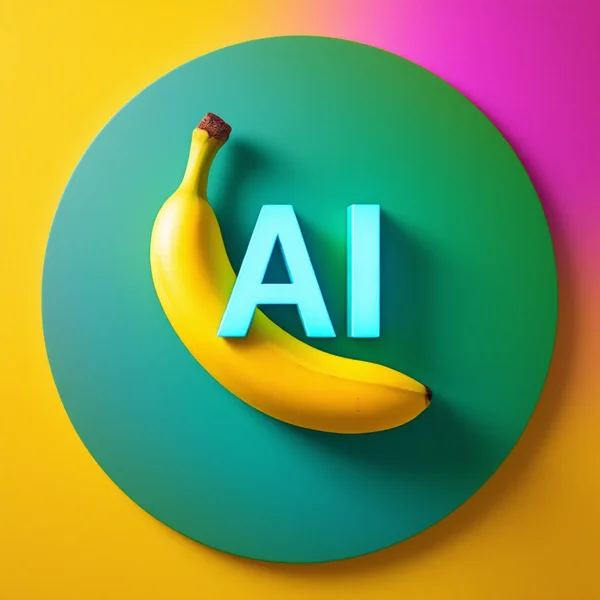
Nano Banana 2 is Google’s image generation model whose headline strength is rendering text inside images. A logo with a readable name, a poster with a big headline, a labeled diagram, packaging with a product name — tasks where many generators mangle the letters are exactly what Nano Banana 2 is built for. It produces images up to 4K and can edit photos from a prompt using up to 5 references. In this Nano Banana 2 review we look at what it does, Nano Banana 2 pricing, how to use Nano Banana 2 online in WebTerra AI and how to write prompts that keep the text clean.
“Nano Banana” is the name widely used for Google’s line of image models, which became popular thanks to precise instruction-following and strong editing. In the WebTerra AI catalog the second version carries a “new” badge, and its description states it directly: industry-leading text rendering inside images and resolution up to 4K.
Who is it for? Designers and social media managers who need layouts with lettering, small businesses looking for a logo or signage, educators who need diagrams and infographics, and marketers building banners and posters. In short — anyone for whom an image without words just will not do.
What Nano Banana 2 can do
The model has two modes:
- Text to image. Describe the scene, the style and the exact text that should appear — the model draws it all together.
- Editing with references. Upload up to 5 images and explain what to do: add a caption to a photo, replace the text on a package, combine a logo with a mockup, move an object into a new scene.
Key features:
- Legible text. The model’s main specialty: headlines, slogans, diagram labels, brand names.
- Up to 4K. Enough for print, large banners and detailed layouts.
- Up to 5 references — more than many models in the catalog. Handy when you need to combine a logo, a product, a background and a style.
- A broad preset library: from cinematic portraits and product shots to text logos, posters, icon sets and infographics.
Keep in mind that Nano Banana 2 is a general-purpose model: it also produces regular photos, landscapes, interiors and food. But its advantages show most clearly whenever words are part of the image.
Nano Banana 2 specs
| Parameter | Value |
|---|---|
| Developer | |
| Type | Image generation and editing |
| Input modes | Text; image + text |
| References | Up to 5 images |
| Maximum resolution | Up to 4K |
| Profile | Text in images, logos, posters |
| Price per generation | $0.13 for a 1024×1024 image |
How to use Nano Banana 2 in WebTerra AI
- Sign up — a free trial balance is added to your balance.
- Open the image generator in your dashboard and select Nano Banana 2.
- Write your prompt. Put the text that should appear in the image in quotation marks so the model knows it is lettering, not part of the description.
- For editing, upload up to 5 references and explain what to do with them.
- Check the size settings: the standard 1024×1024 is fine for drafts; save higher resolution for the final version.
- Generate, check the lettering letter by letter and refine the prompt if needed.
You can compare Nano Banana 2 with other generators on the AI image generation page.
Nano Banana 2 pricing
Cost of one 1024×1024 image:
| Plan | Price in USD |
|---|---|
| Any plan or top-up pack | $0.13 |
The free trial balance covers about 5 images at 1024×1024 — enough for several logo variations, a poster and a couple of reference edits. Higher resolutions, including 4K, may cost more; the dashboard shows the exact amount before you generate. Top-up packs are on the pricing page.
Budget tip: work out the composition and wording at the standard size, and only render the final version at high resolution.
Nano Banana 2 prompt examples
Text logo
Minimalist logo for a coffee shop called "Morning Bean", a simple coffee bean icon above the text, warm brown and cream colors, clean sans-serif typography, flat vector style, white background
A logo with a legible name: the name is quoted, and the font, colors and background are specified.
Poster with text
Bold concert poster with the headline "SUMMER NIGHTS" in large retro letters at the top, a neon-lit city skyline below, text "July 24 · Open Air Stage" at the bottom, synthwave palette of pink and purple
A poster with two levels of text — headline and date line.
Infographic
Clean infographic diagram showing the water cycle with four labeled stages: "Evaporation", "Condensation", "Precipitation", "Collection", arrows between stages, flat illustration style, light blue palette
A clear labeled diagram for a lesson, article or presentation.
Icon set
Set of six flat line icons for a fitness app: dumbbell, running shoe, heart rate, water bottle, calendar, trophy, consistent stroke width, teal on white, grid layout
A consistent icon set in a single style.
Product packaging
Product mockup of a kraft paper tea box with the label "Mountain Herbs" and the subtitle "Organic Blend", soft studio lighting, wooden surface, realistic photo
A packaging mockup with a product name for a pitch or product page.
Editing: add a caption to a photo
Add the text "SALE -30%" in bold white letters on a red ribbon across the top left corner of the first image, keep the product and background unchanged
Adding a promo label to an existing photo while leaving the rest of the frame untouched.
Tips for clean text in images
Quote the exact wording
Always put the exact text in quotation marks: the text "Morning Bean". That tells the model to reproduce those words literally.
Shorter is safer
A two- or three-word headline renders more reliably than a paragraph. If you have a lot of copy, split it into a headline and a subtitle, and add fine print later in an editor.
Specify placement and typeface
“At the top”, “centered”, “on a ribbon”, “bold sans-serif”, “handwritten script” — the model lays out elements better when it knows where and how the text should sit.
Give the text contrast
Lettering reads better when the model knows what it sits on: “white letters on a dark background”, “black text on a yellow label”. A busy background behind the text is a common reason letters get lost even in an otherwise correct image.
Proofread every letter
Even a model this strong at text occasionally slips. Proofread before publishing; if a single letter is off, regenerate or edit the image with a clarifying instruction.
Non-Latin scripts need extra checks
Latin text is the most stable. For Cyrillic or other scripts, generate several variations and keep the one where the wording is perfect. Short words are more reliable.
Use references for brand consistency
Upload your existing logo, brand colors or a sample layout as references — the model will pick up the style, and new assets will look like part of the same family.
Who Nano Banana 2 is for
- Small businesses and startups. Logo sketches, signage, business cards and packaging.
- Social media. Creatives with headlines, event announcements, covers for Reels and carousels.
- Marketplaces. Infographics for product cards, sale banners, packaging mockups.
- Advertising. Posters, banners and ad layouts with copy.
- Education. Diagrams, charts and labeled illustrations for lessons and courses.
- UI designers. Icons, flat illustrations and quick mockups.
Example workflow: a brand kit in one evening
Picture a small café that needs a logo, an opening poster and a few social posts. First, generate four or five logo variations with the name in quotes and pick the best. Then upload it as a reference and ask for a “Grand Opening” poster in the same colors. Next, again with the logo as a reference, create a series of square creatives for the feed: today’s menu, a cappuccino deal, a live music night. Thanks to the references, everything looks like one brand — and the whole set costs under a dollar.
The same approach works for an online store: product card infographics, a sale banner and a packaging mockup, all built around one logo and palette. Proofread the final versions and polish them in a graphics editor if needed.
Nano Banana 2 vs other image models
| Model | Profile | When to choose it |
|---|---|---|
| Nano Banana 2 | Text in images, up to 4K, 5 references | Logos, posters, infographics, captions |
| Nano Banana Pro | Premium editor, 4K | Complex edits and the most demanding tasks |
| FLUX.2 Pro | Photorealism, portraits | Realistic photos of people, products, food |
| Ideogram V3 | Posters and flyers | An alternative for typography and posters |
| Recraft V3 | Vector graphics | You need true vectors for logos or icons |
If photorealism matters most and there is no text in the frame, read our FLUX.2 Pro review. For complex, top-tier editing there is the senior sibling, Nano Banana Pro. For poster typography it is worth comparing results with Ideogram V3, and when a logo has to be a vector, with Recraft V3.
Limitations and what to know
- Long text means more risk. Paragraphs and small type are less reliable than short headlines.
- Check non-Latin scripts separately. Generate several versions and keep the flawless one.
- Raster, not vector. A logo that must scale without loss needs vectorization or a vector model.
- Up to 5 references per request.
- Price depends on resolution. $0.13 is for 1024×1024; 4K is priced differently.
- Trademarks. Do not reproduce other companies’ logos or brands — create your own.
Examples made with Nano Banana 2
Full gallery →FAQ
How much does a Nano Banana 2 image cost?
$0.13 for a 1024×1024 image on any plan.
Can Nano Banana 2 write text in languages other than English?
It handles lettering in various languages, but Latin script is the most stable. Proofread other scripts carefully and generate several variations.
What is the maximum resolution?
Up to 4K.
How many references can I upload?
Up to 5 images per request.
How many images does the free trial balance cover?
About 5 images at 1024×1024.
How is Nano Banana 2 different from Nano Banana Pro?
Nano Banana 2 focuses on text in images at an affordable price, while Pro is positioned as a premium editor for the most demanding work.
Nano Banana 2 is a practical tool for anything that needs words in the picture: logos, posters, infographics and ad layouts. Claim your free trial balance and create your first text layout in WebTerra AI.
Try AI models yourself
Models for video, images and audio in one place — a free trial balance when you sign up
Start for free