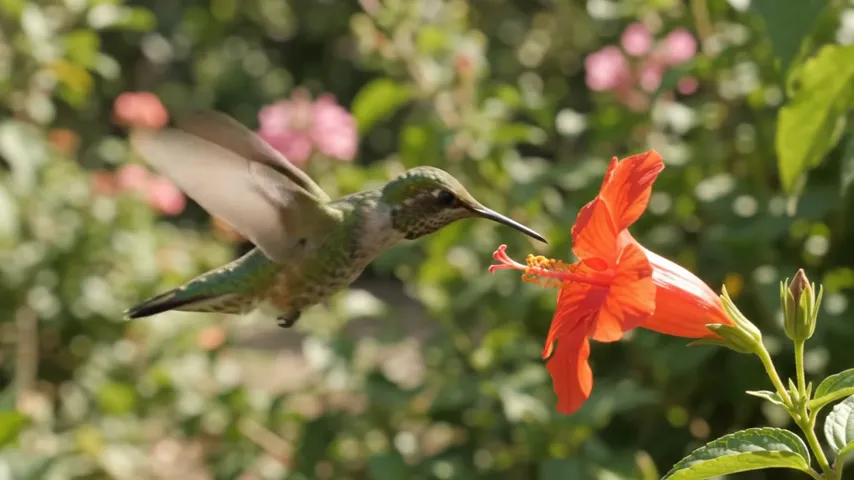
Runway Gen-4 Review: Affordable Cinematic AI Video from Text or Photo
Runway Gen-4 turns text or a photo into cinematic 5 or 10 second clips in 720p and 1080p. We cover modes, formats, pricing in dollars, ready-made prompts and the limits.
Runway Gen-4 is Runway’s video model built for cinematic shots. It creates 5 or 10 second clips from a text prompt or an uploaded photo, in 720p or 1080p. In this Runway Gen-4 review we look at what the model can do, which formats it supports, what a single clip costs, how to use Runway Gen-4 online in WebTerra AI, and which prompts get the best results.
Runway is one of the best-known names in AI video tools, and its models are associated with expressive camera work and a moody, film-like look. In the WebTerra AI catalog, Gen-4 is marked as a new model and has one very practical advantage: it is among the most affordable video clips on the service. A short 720p clip costs a fraction of a dollar, which makes the model equally handy for testing ideas and for producing content on a regular basis.
It’s a good fit for social media managers, marketers, online store owners, Reels creators and anyone who needs short atmospheric clips without a film crew. The main trade-off is that the video comes out silent — but you can add sound with a separate tool right in the dashboard.
What Runway Gen-4 can do
- Text to video. Describe the scene, camera move, lighting and mood, and the model generates a clip from scratch.
- Image to video. Upload a single image and the model brings it to life with camera, environment and character motion. In this mode the clip’s aspect ratio is taken from the photo itself.
- 5 or 10 seconds. The short version works for tests and punchy Reels; the longer one gives an atmospheric scene room to breathe.
- 720p or 1080p. 720p is the cheaper option for drafts and social feeds; 1080p gives a cleaner picture on larger screens.
- Five aspect ratios. 16:9 for YouTube and websites, 9:16 for Reels and Stories, 1:1 for the feed, plus 4:3 and 3:4 for a more classic frame.
- Detailed prompts. A prompt can be up to 1,800 characters — enough for the scene, camera move, lighting, palette and restrictions.
The model shines at cinematic delivery: slow push-ins, dramatic light, weather, the elements and atmospheric landscapes. That’s why the dashboard presets include a cinematic shot, nature and time-lapse, complex camera moves, a fantasy scene and sports slow motion. On the other hand, there is no first/last frame mode and no multi-photo input: one clip means one prompt or one image.
Runway Gen-4 specs
| Parameter | Value |
|---|---|
| Developer | Runway |
| Type | Video generation |
| Input modes | Text to video, image to video |
| Duration | 5 or 10 seconds |
| Resolution | 720p, 1080p (10 seconds only in 720p) |
| Aspect ratios | 16:9, 9:16, 1:1, 4:3, 3:4 (image mode follows the photo) |
| Audio | None, the video is silent |
| Max prompt length | 1,800 characters |
| Defaults | 5 seconds, 720p, 16:9 |
| Price of a 5-second 720p clip | from $0.20 |
How to use Runway Gen-4 in WebTerra AI
- Sign up and top up your balance: video opens up after your first top-up.
- Open video generation in the dashboard and pick Runway Gen-4.
- Choose the mode: text only or image to video. For the latter, upload one image — the clip’s format will follow it.
- Set the duration (5 or 10 seconds) and resolution (720p or 1080p). In text mode, also pick the aspect ratio.
- Write a prompt or start from a preset. Describe what happens in the frame, how the camera moves, the lighting and the mood.
- Check the cost and start the generation. In our test, a 5-second 720p clip was ready in roughly 1.5–2 minutes.
- Download the video. If you need sound, add it with the Sound for video tool.
If a generation fails for any reason, the money goes back to your balance automatically — no need to contact support. All of the service’s video models are listed on the AI video page.
Runway Gen-4 pricing
The cost of one 5-second clip at 720p and 16:9, i.e. with the default settings:
| Plan | Price in USD |
|---|---|
| Any plan or top-up pack | $0.20 |
The price depends on duration and resolution: a second of 1080p costs two and a half times as much as a second of 720p, so a 10-second 720p clip or a 5-second 1080p clip comes out at roughly 2.5 times the base price. The dashboard shows the exact amount before you start. The “10 seconds + 1080p” combination is not supported — the service rejects it before you are charged, so you can’t pay for it by accident.
Video opens up after your first top-up, and the free trial balance is handy for a starting frame in the image models. Top-up packs and plans are on the pricing page.
Runway Gen-4 prompt examples
Each prompt below is ready to paste, followed by a short note on why it works.
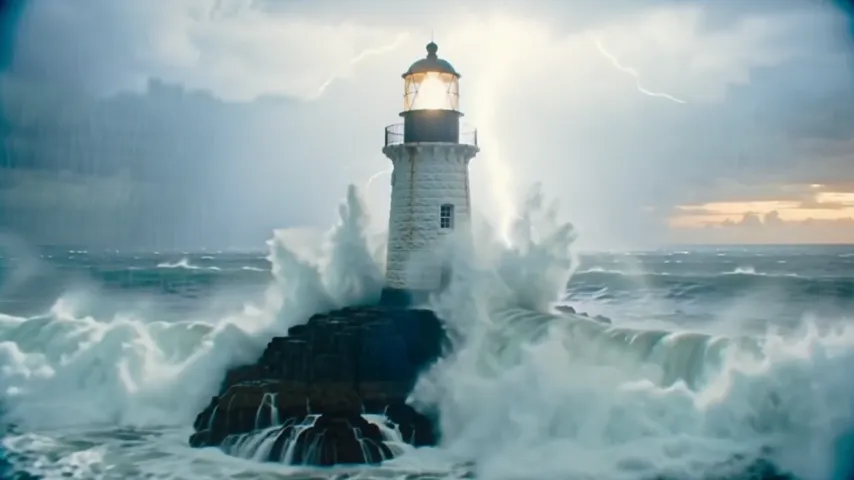
1. Lighthouse in a storm (the model’s demo prompt)
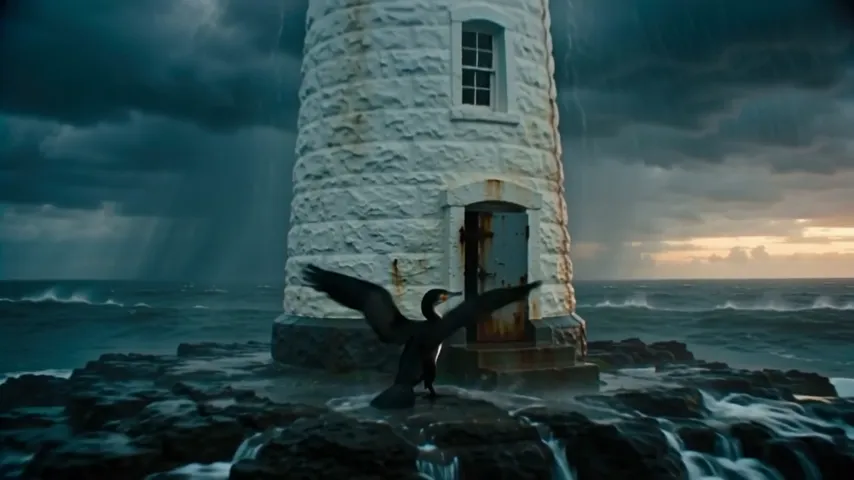
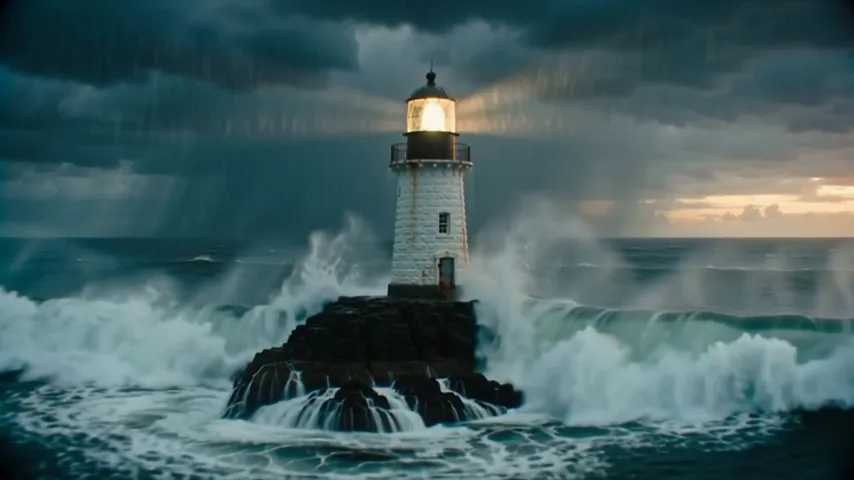
Cinematic slow push-in on a lighthouse on a rocky coast during a storm at dusk, huge waves crashing against the rocks, the beam of light sweeping through the rain, moody teal palette, no text, no captions, no watermark
This is the prompt behind the model’s demo clip: a lighthouse on a rocky shore, waves hitting the rocks, the beam cutting through the rain. Note the structure — camera move, subject, location, weather, palette, restrictions.
2. Product video
Slow orbit around a ceramic coffee mug on a wooden table, morning sunlight through a window, gentle steam rising, soft shadows, premium commercial look, no text
A short ad for a marketplace listing or social media. The orbit shows the product from several angles.
3. Nature and time-lapse
Time-lapse of storm clouds rolling over a mountain valley, sunlight breaking through in moving beams, wide static shot, cinematic
An atmospheric landscape for an intro, a travel clip or a website background. A static camera puts the focus on the moving clouds.
4. Complex camera move
Drone flyover above an old stone castle on a cliff at sunrise, camera slowly descending and circling the tower, mist below, golden light
A flyover combined with an orbit plays to the model’s strengths. Great for teasers, presentations and music videos.
5. Fantasy scene
A lone astronaut walking across a red desert planet, two moons in the sky, dust blowing in the wind, wide tracking shot, epic sci-fi atmosphere
Fantasy or sci-fi with a film look — for covers, trailers and creative work.
6. Animate a photo
Gentle wind moves the leaves and the woman’s hair, the camera slowly pushes in, background stays sharp, natural subtle motion
A prompt for image-to-video mode: describe only the motion, not what’s already in the picture.
Tips: how to write prompts for Runway Gen-4
Lead with the camera move
The model responds well to cinematography terms: slow push-in, dolly out, orbit, tracking shot, crane up, drone flyover, handheld. If the camera should stay put, write “static camera” — otherwise the model may add motion on its own.
Use “camera — subject — place — light — palette — restrictions”
The model’s demo prompt is a ready-made template. This order gives predictable results and keeps important details from getting lost in a long description.
One action per clip
Five to ten seconds comfortably fit one clear event: a wave hits a rock, a character turns around, steam rises from a cup. Several sequential actions in one prompt usually get compressed or blended together.
Play with light and weather
Rain, fog, dusk, backlight, golden hour — these are the details that create a cinematic feel. Add a palette too: moody teal, warm amber, cold blue.
Add restrictions
The phrase “no text, no captions, no watermark” removes random lettering. Text and logos are better added in the edit.
For image to video, describe only motion
The image already sets the subject, background and format. Your prompt should explain what changes: wind, a head turn, a camera push-in. Prepare the photo in the right proportions up front — vertical for Reels, horizontal for YouTube.
Test at 5 seconds in 720p
It’s the cheapest combination. Nail the prompt first, then render the final version: 10 seconds in 720p or 5 seconds in 1080p.
How to add sound to your clip
Runway Gen-4 returns video without an audio track. For social media that’s often fine — you can add music inside the app. But if you need a finished file with sound, WebTerra AI has two tools for it:
- Sound for video generates ambience and effects for a finished clip: crashing waves, rain, wind, footsteps.
- Audio merge combines a video with a separate audio track, such as music or a voiceover.
Keeping picture and sound separate gives you more control: you can pick music that fits your brand or regenerate just the audio without touching the video.
Who Runway Gen-4 is for
- Social media and creators. Vertical 9:16 Reels and Stories with an atmospheric look for pennies.
- Marketplaces and e-commerce. Short product videos with an orbiting camera and soft light.
- Ad agencies. Animatics, moving mood boards and teasers for pitching concepts — cheap enough to explore many options.
- Travel, hotels and real estate. Flyovers, landscapes and weather scenes.
- Restaurants and cafés. Mouth-watering food clips for menus and social feeds.
- Musicians and video makers. Atmospheric background shots and cutaways for the edit.
Runway Gen-4 vs other video models
| Model | Highlight | When to choose it |
|---|---|---|
| Runway Gen-4 | Cinematic motion, affordable | Atmospheric silent clips at the lowest cost |
| Kling 2.5 Turbo Pro | Up to 10 s, realistic | Realistic people and first/last frame transitions |
| Veo 3.1 Lite | Budget Veo, 1080p | An affordable Veo option in 1080p |
| Veo 3.1 | 4K, with sound | Top resolution and sound out of the box |
| Kling 2.6 Pro | Sound out of the box | A finished clip with audio, no separate voiceover |
If realistic people matter most, or you need control through a first and last frame, read our Kling 2.5 Turbo Pro review. For maximum resolution with synchronized sound there’s Veo 3.1, and for a Kling clip with audio built in, see Kling 2.6 Pro. Runway Gen-4 is the sensible pick when you want a cinematic atmosphere, lots of variations for little money, and you plan to add sound separately anyway.
Runway Gen-4 limitations
- No audio. The video has no sound track — audio is added with separate tools.
- 10 seconds only at 720p. The service rejects 10 seconds at 1080p before you are charged.
- No first/last frame. You can set a starting photo, but not an end frame.
- One photo per clip. There is no multi-reference mode.
- Fixed format in image mode. It comes from the image, so crop your photo in advance.
- 1,800-character prompt limit. Plenty for a scene, not enough for a script.
- Text in the frame. Lettering and logos can get distorted; add them in post.
FAQ
How much does a Runway Gen-4 video cost?
A 5-second 720p clip costs $0.20. A longer clip or 1080p costs about 2.5 times as much.
Does Runway Gen-4 generate sound?
No, the video is silent. You can add audio with the Sound for video or Audio merge tools in the dashboard.
Can I make a 10-second clip in 1080p?
No. 10 seconds is available only in 720p, while 1080p is for 5-second clips. The service won’t let you start an unsupported combination and won’t charge you for it.
Can I create a video from a photo?
Yes. Upload a single image and the clip will take its format from it. There are no end-frame or multi-photo modes.
How long does generation take?
In our test, a 5-second 720p clip took about 1.5–2 minutes. If a generation fails, the money is refunded to your balance automatically.
Can I try Runway Gen-4 for free?
No, video opens up after your first top-up. You can use the free trial balance for a starting frame in the image models.
Runway Gen-4 is an affordable way to get cinematic video from text or a photo: atmospheric landscapes, ad shots and striking camera moves. Open video generation in WebTerra AI, top up your balance and make your first clip today.
Try AI models yourself
Models for video, images and audio in one place — a free trial balance when you sign up
Start for free