FLUX 1.1 Pro Review: A Proven, Fast AI Image Generator
FLUX 1.1 Pro from Black Forest Labs is a fast, stable model that knows its styles. We cover its modes, pricing, ready-made prompts, tips and how it compares with FLUX.2 Pro and Nano Banana.
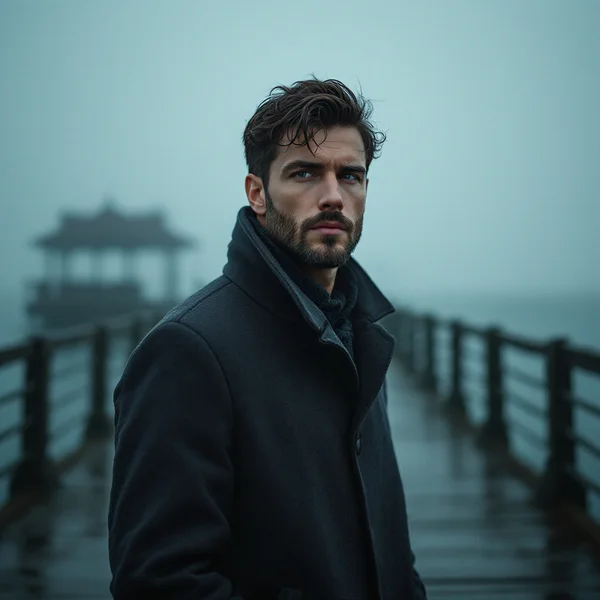
FLUX 1.1 Pro is an image generation model from Black Forest Labs and the previous generation of the FLUX flagship. In this FLUX 1.1 Pro review we explain why a “proven classic” still makes sense next to newer models, how to generate images online, what it costs and how to write prompts that give predictable results.
Black Forest Labs is best known for the FLUX family, one of the most prominent names in AI image generation. Version 1.1 Pro is fast, stable and great with styles, from photorealistic portraits to concept art. Besides text-to-image, it can create variations from a reference image via Redux, which is handy when you need several versions of a picture that already works.
The model suits social media managers, online store owners, designers, bloggers and anyone who needs good images every day without a big budget: one picture costs about seven cents.
What FLUX 1.1 Pro can do
- Text-to-image. Describe a scene and the model renders it. By default you get a 1024×1024 square in square HD quality.
- Reference variations (Redux). Upload one image and FLUX 1.1 Pro creates variations based on it, keeping its overall character, composition or style.
- Speed and stability. The model is known for predictable behavior: prompts with similar content produce results of similar quality, without sudden misfires.
- A wide range of styles. Photorealism, cinematic lighting, fashion, food, interiors, architecture and fantasy are all covered by the dashboard presets.
- Safety filter. Content safety checking is enabled by default.
The main strength of FLUX 1.1 Pro is the balance between quality and price. For everyday tasks that do not need 4K or complex edits, it is a sensible choice.
FLUX 1.1 Pro specs
| Parameter | Value |
|---|---|
| Developer | Black Forest Labs |
| Type | Image generation |
| Input modes | Text, image-to-image (Redux) |
| Reference images | up to 1 |
| Default size | 1024×1024 (square HD) |
| Images per run | 1 (default) |
| Safety filter | On |
| Price per image | 6 credits (about $0.07) |
How to use FLUX 1.1 Pro in WebTerra AI
- Sign up for WebTerra AI and get 60 free credits.
- Open the image generator in your dashboard and choose FLUX 1.1 Pro.
- Pick a preset (portrait, product shot, landscape and so on) or write your own prompt.
- If you want variations, upload one reference image.
- Check the size and cost, then start the generation.
- Review the result, refine the prompt if needed and run it again.
- Download the finished image.
You can compare every image model on the AI image generation page.
FLUX 1.1 Pro pricing
One 1024×1024 image with default settings costs the same number of credits on every plan, while the dollar price drops slightly on higher plans.
| Plan | Credits | Price in USD |
|---|---|---|
| Starter | 6 | about $0.077 |
| Pro | 6 | about $0.072 |
| Ultra | 6 | about $0.069 |
The 60 free credits you get at sign-up cover 10 FLUX 1.1 Pro images. That is enough to try several presets and the Redux mode and to see how the model responds to your prompts. See plan details on the pricing page.
Thanks to its low price, FLUX 1.1 Pro works well for batch jobs: preparing 30 images for a month-long content calendar costs only a couple of dollars.
FLUX 1.1 Pro prompt examples
Write prompts in English, which the model understands most precisely. Each example comes with a short note.
Cinematic portrait
Cinematic portrait of a middle-aged fisherman on a pier at dusk, dramatic side lighting, teal and orange color grade, shallow depth of field, 85mm lens, film grain
A dramatic portrait with film-style lighting and color grading.
Product shot
Product photo of a glass bottle of cold brew coffee on a light stone surface, soft morning light, water droplets, minimal background, high detail, commercial photography
A clean product image for a marketplace or website.
Food photography
Overhead shot of a rustic table with fresh dumplings, melted butter, sour cream and dill, natural window light, warm tones, food magazine style
An appetizing dish for a menu or Instagram.
Interior
Scandinavian living room with large windows, light oak floor, linen sofa, green plants, soft daylight, calm neutral palette, architectural interior photography
A designer-style room for a pitch or a blog.
Fantasy and concept art
Epic fantasy landscape, ancient stone city built into a cliff above the clouds, waterfalls, golden sunset, sweeping wide shot, detailed concept art
An epic scene for a game, a book or a cover.
Fashion editorial
Fashion editorial photo, model in an oversized camel coat walking through a foggy city street, muted tones, magazine cover composition, soft diffused light
A look in fashion-magazine style.
Lifestyle photo
Candid lifestyle photo of a young woman reading a book by a sunny kitchen window, steam rising from a cup of tea, relaxed morning mood, natural colors, documentary style
A natural everyday shot for a blog or an ad.
Architecture and exterior
Modern two-story house with large glass facade and timber cladding, surrounded by pine trees, twilight with warm interior lights, architectural photography, wide angle
A house visualization for a project or a pitch.
How to work with Redux reference variations
Redux is one of the reasons FLUX 1.1 Pro stays useful next to newer models. It solves a common problem: you got a great image and need a few more like it, but re-running the same prompt gives you something completely different.
- Pick your best frame. It can be one of your generations or your own photo whose style you want to keep.
- Upload it as a reference. The model accepts one image.
- Generate variations. You get new images that keep the overall character of the original: palette, mood and composition idea.
- Keep the best ones. Variations are handy for a series of posts, A/B testing ad creatives or choosing a cover.
Remember that Redux does not make targeted edits. If you need to change a specific detail, such as the background, the color of clothing or an object in the frame, that is a job for an editor like FLUX Kontext Pro.
Tips for writing FLUX 1.1 Pro prompts
Use subject, setting, light, style
Start with the main subject, then describe the setting, the lighting and the style. This order helps the model set priorities correctly.
Speak like a photographer
FLUX 1.1 Pro responds well to photography terms such as “85mm lens”, “shallow depth of field”, “golden hour” and “softbox lighting”. They give you more control than vague words like “beautiful”.
Name the style explicitly
The model knows its styles, so name them directly: “watercolor illustration”, “35mm film photo”, “isometric 3D render”, “oil painting”. One clear style works better than a mix of several.
Use Redux for variations
If an image already works, do not try to recreate it from text. Upload it as a reference and get variations; keeping the overall look is much easier that way.
Text in images is not its main strength
For layouts with large lettering, models that specialize in typography are a better fit. FLUX 1.1 Pro shines in photos and illustrations.
Common beginner mistakes
- Prompts that are too short. “Coffee on a table” gives a random result. Add lighting, angle, style and mood.
- Conflicting styles. “Photo, watercolor and 3D render” in one prompt forces the model to compromise. Pick one direction.
- Too many details. Twenty small objects in a frame are hard to control. A few key details described precisely work better.
- Ignoring the format. Think ahead about where the image will live: the default square is great for a feed, but for a banner or a cover check the sizes available in the dashboard.
Who FLUX 1.1 Pro is for
- Social media. Daily images for posts and Stories at a low price.
- Marketplaces and online stores. Product photos and lifestyle scenes with products.
- Restaurants and cafes. Food photography for menus and social media.
- Interior designers and architects. Idea visualization and mood boards.
- Bloggers and media. Article covers and illustrations.
- Game development and publishing. Concept art and style exploration.
FLUX 1.1 Pro vs other models
| Model | Focus | When to choose it |
|---|---|---|
| FLUX 1.1 Pro | Proven classic | Everyday images, balance of price and quality |
| FLUX.2 Pro | Photorealism, portraits | When maximum photorealism matters |
| FLUX 1.1 Pro Ultra | 4 MP, no upscaling | When you need high resolution |
| Nano Banana 2 | 4K, text in images | For layouts with lettering and 4K |
| FLUX Kontext Pro | Targeted photo edits | To change a detail in a finished image |
The honest takeaway: FLUX 1.1 Pro is a smart choice for most everyday tasks where speed and price matter. If you need a newer level of photorealism, move up to FLUX.2 Pro. For print and large formats, FLUX 1.1 Pro Ultra is the more logical pick. When the image needs text, Nano Banana 2 will do better, and for targeted edits of a finished photo, use FLUX Kontext Pro.
FLUX 1.1 Pro limitations
- One reference. Redux accepts only one image.
- Previous generation. Newer models in the family may offer higher photorealism and detail.
- Not an editor. Redux creates variations, not targeted edits; to change only a shirt color in a photo, use Kontext.
- Safety filter. It is on by default, so some requests may be rejected.
- Text. For large lettering and logos, choose specialized models.
FLUX 1.1 Pro FAQ
How much does one image cost?
6 credits, which is roughly $0.069 to $0.077 depending on your plan.
What is Redux?
It is a reference variation mode: you upload one image and the model creates new versions based on it.
How is FLUX 1.1 Pro different from FLUX.2 Pro?
FLUX 1.1 Pro is the previous generation: fast, stable and inexpensive. FLUX.2 Pro is the newer model with a focus on photorealism and portraits.
How many images do the free credits cover?
60 credits cover 10 images at 1024×1024.
What language should I write prompts in?
English: the model understands it most precisely, especially photography and art terms.
Is it suitable for commercial images?
Yes. The product shot, food photography and lifestyle presets are designed for commercial work such as marketplaces, menus and social media.
FLUX 1.1 Pro is a reliable workhorse for daily content: fast, stable and around seven cents per image. Open FLUX 1.1 Pro in your WebTerra AI dashboard and turn your ideas into images right now.
Try AI models yourself
Models for video, images and audio in one place — 60 credits free when you sign up
Start for free