Wan 2.6 Review: Multi-Scene AI Video up to 15 Seconds
Wan 2.6 from Alibaba fits several scenes into one clip up to 15 seconds, keeps characters consistent and animates photos. Modes, 720p and 1080p pricing, prompts and a comparison with Wan 2.7.
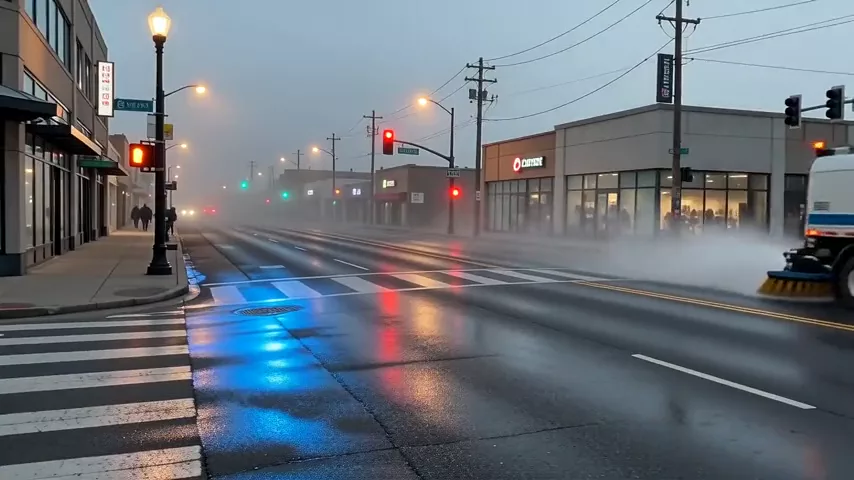
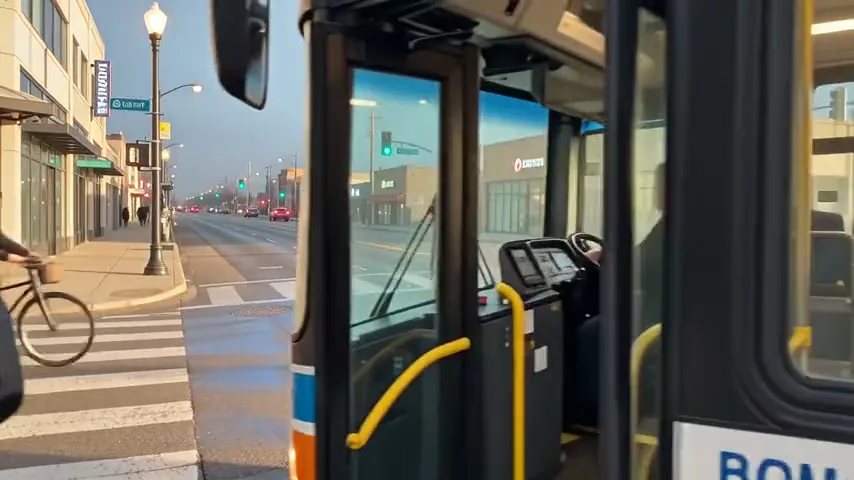
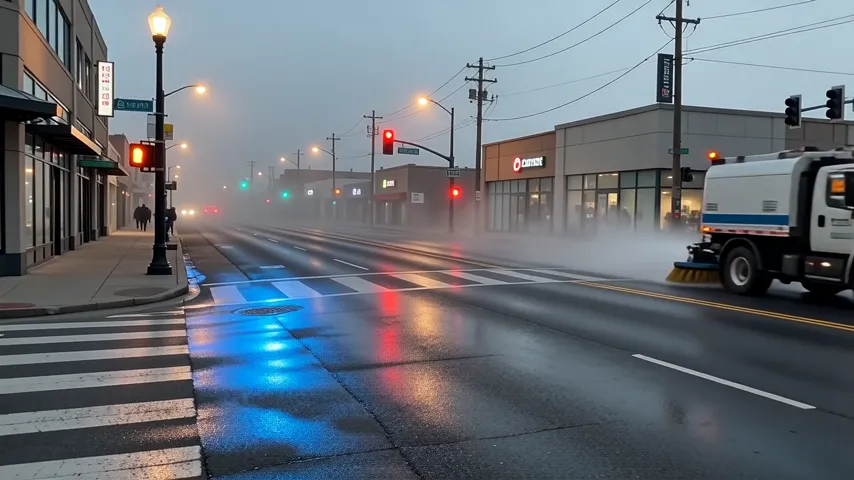
This Wan 2.6 review covers Alibaba’s video model that handles something many generators struggle with: telling a story across several scenes within a single clip. The WebTerra AI model card puts it this way: “several scenes in one clip, up to 15 seconds, consistent characters. Animates photos.” So instead of one shot with some motion, you get a sequence — for example, an empty street at dawn and the same street bustling at midday, as in the model’s demo clip.
Alibaba’s Wan line is known for its open approach and affordable pricing. Wan 2.6 is available online in the WebTerra AI dashboard in two modes — from text and from a photo — with a choice of 5, 10 or 15 seconds, two resolutions (720p and 1080p) and five frame formats, including 4:3 and 3:4, which many other models don’t offer.
Let’s look at what the model can do, how to use Wan 2.6, what a clip costs depending on duration and resolution, which prompts make the most of multi-scene generation and when another model is the better pick.
What Wan 2.6 can do
- Several scenes in one clip. The headline feature: you describe a sequence and the model builds the transitions between scenes.
- Consistent characters. A character keeps their look from scene to scene — essential for stories and ads built around one person.
- Text-to-video. A scene or a sequence of scenes from a description.
- Photo animation. Upload an image and the model creates a video from it.
- 5, 10 or 15 seconds. From a short clip to a mini-story.
- 720p or 1080p. 720p for tests and social media, 1080p for final versions.
- Five frame formats: 16:9, 9:16, 1:1, 4:3 and 3:4.
The dashboard defaults are 5 seconds, 720p and 16:9. Sound generation isn’t listed on the model card, so if your clip needs audio, add it with a separate video-to-audio model.
Presets help you start fast: cinematic shot, product video, nature and time-lapse, animate a photo, multi-shot scene, vertical social video, first-person vlog, food close-up, fantasy scene and sports slow motion.
Wan 2.6 specs
| Parameter | Value |
|---|---|
| Developer | Alibaba |
| Type | Video generation |
| Input modes | Text → video; image → video |
| Duration | 5, 10 or 15 seconds |
| Resolution | 720p, 1080p |
| Frame formats | 16:9, 9:16, 1:1, 4:3, 3:4 |
| Key feature | Multi-scene, consistent characters |
| Price for 5 s at 720p | from $1.17 |
How to use Wan 2.6 in WebTerra AI
- Sign up for WebTerra AI or log in.
- Open the video generator in the dashboard and select Wan 2.6.
- Choose a mode: text or photo. To animate a photo, upload the image.
- Write the prompt. For a multi-scene clip, describe the scenes in order: “Scene 1… Scene 2…” or “first… then…”.
- Pick the duration (5, 10 or 15 s), resolution (720p or 1080p) and frame format.
- Check the cost in the dashboard and start the generation.
- Review the result. If scenes change in the wrong place, clarify how the transitions should work.
Other video models, including ones with built-in sound and higher resolution, are on the AI video generation page.
Wan 2.6 pricing
Wan 2.6 pricing depends on duration and resolution. The table shows the cost of a 5-second clip at 720p (the default settings).
| Plan | Price (5 s, 720p) |
|---|---|
| Any plan or top-up pack | $1.17 |
The model’s base rate is $0.23 per second at 720p and $0.35 per second at 1080p. Roughly:
| Duration | 720p | 1080p |
|---|---|---|
| 5 s | about $1.17 | about $1.76 |
| 10 s | about $2.33 | about $3.50 |
| 15 s | about $3.50 | about $5.26 |
The dashboard shows the exact amount for your settings before launch. To be upfront about the welcome bonus: the free trial balance you get at sign-up doesn’t cover a Wan 2.6 clip, but you can use it for prep — for example, generating a starting frame for photo mode. Plans and packs are on the pricing page.
Wan 2.6 prompt examples
Ending a prompt with “no text, no captions, no watermark” helps avoid stray lettering.
1. Two scenes (the model’s demo)
Two-scene sequence: a city street at dawn with empty roads, then the same street bustling with people and cars at midday, smooth transition, no text, no captions, no watermark
The prompt from the demo clip: the same location at different times — a clear showcase of multi-scene generation.
2. A story with one character
Scene 1: a young woman in a yellow raincoat waits at a bus stop in the rain. Scene 2: she rides the bus, looking out the window at city lights. Scene 3: she arrives home and takes off the raincoat, smiling. Consistent character, cinematic, no text
A consistent character across three scenes — for 10–15 seconds. A bold clothing detail helps keep her recognizable.
3. Product video
Scene 1: close-up of coffee beans pouring into a grinder. Scene 2: espresso dripping into a white cup. Scene 3: a hand lifting the cup in a sunny cafe, no text, no watermark
The “bean to cup” process is a classic ad structure that maps naturally onto several scenes.
4. Vertical social video
Fast-paced vertical video: a skateboarder rolls down a sunny street, jumps over a bench, lands and rides away toward the camera, dynamic tracking shot, 9:16
The “Vertical social video” preset: energy and movement toward the camera.
5. Nature and time-lapse
Time-lapse of a mountain lake: morning fog lifting, clouds racing over peaks at noon, stars appearing above the water at night, no text
A change in time of day is another natural way to use several scenes.
6. Animating a photo
Bring the photo to life: gentle wind moves the curtains and the woman’s hair, she slowly turns her head toward the window, soft natural light
Image-to-video mode: describe only the motion — the model takes the look of the frame from the image.
Tips for writing Wan 2.6 prompts
Number your scenes
“Scene 1, Scene 2, Scene 3” or “first… then… finally…” is the most reliable way to explain the clip’s structure to the model.
Match the number of scenes to the duration
For 5 seconds, plan one or two scenes; for 10, two or three; for 15, up to four. With too many scenes, each one becomes too short.
Anchor the character with details
The model keeps characters consistent, but you help it by mentioning key traits in every scene: clothing color, hairstyle, an accessory.
Describe the transitions
Smooth transition, cut to, the camera follows — transition words make the edit feel more logical.
Test at 720p
Check the idea and scene structure at 720p and 5 seconds, then render the final version at 1080p and the length you need — so you don’t spend expensive runs on drafts.
Choose the format for the platform
9:16 for Reels and Shorts, 16:9 for YouTube and websites, 1:1 for the feed, 4:3 and 3:4 for presentations, banners and some ad placements.
Planning a multi-scene clip: a simple template
Before generating, it helps to sketch the clip as a mini storyboard. It takes two minutes and greatly improves your chances of getting the right result on the first try.
| Scene | What to describe | Example for a cafe ad (10 s) |
|---|---|---|
| 1. Opening | Place, time, mood | A morning street, the cafe opens, warm light in the window |
| 2. Action | What the character or product does | A barista makes a cappuccino, close-up of the milk foam |
| 3. Payoff | Emotion, final shot | A guest takes a sip and smiles by the window |
Then turn each row into a sentence labeled Scene 1, Scene 2, Scene 3 and add the shared parameters: style, light, camera movement. This approach works well for explainers, event announcements and product presentations alike.
Who Wan 2.6 is for
- Marketers and advertisers — “problem, solution, result” story ads in one clip.
- Social media managers and bloggers — vertical multi-scene videos for Reels and Shorts.
- Businesses and e-commerce — process videos: how a product is made, used and what it delivers.
- Storytellers and animators — short stories with a consistent character.
- Travel and real estate — a location at different times of day or from different angles.
- Owners of photo archives — animating photos for social media and presentations.
Wan 2.6 vs other video models
| Model | Feature | When to choose it |
|---|---|---|
| Wan 2.6 | Multi-scene up to 15 s, consistent characters | Multi-scene stories, photo animation, 4:3 and 3:4 formats |
| Wan 2.7 | Open source, affordable | The next version of the line, with a focus on affordability |
| Seedance 2.0 | Audio + multi-scene | A multi-scene clip that needs sound out of the box |
| Veo 3.1 Lite | Budget Veo, 1080p | An alternative for 1080p clips |
| Hailuo 02 | Fast photo-to-video | You need to animate a photo quickly, without multiple scenes |
Honestly: Wan 2.6 is strong when a clip is made of several scenes and the character must stay recognizable, and when you need the less common 4:3 and 3:4 formats. If a multi-scene clip needs sound straight away, look at Seedance 2.0. If you want the newest version of the line, try Wan 2.7. For a quick, simple photo animation without complex structure, Hailuo 02. And for long cinematic scenes with sound and references, WebTerra AI has Kling O3 Pro.
Wan 2.6 limitations
- Fixed durations. Only 5, 10 or 15 seconds — nothing in between.
- 1080p maximum. For 4K you need another model or an upscaler.
- No first and last frame control. Photo mode sets only the starting image.
- Sound not listed. Use separate video-to-audio models for the soundtrack.
- Price grows with length and resolution. A 15-second 1080p clip costs several times more than 5 seconds at 720p.
FAQ
How much does a Wan 2.6 video cost?
A 5-second 720p clip costs $1.17. Longer clips and 1080p cost more.
How many scenes can a clip have?
You set the number of scenes in the prompt. In practice, plan one or two for 5 seconds and up to four for 15.
Can it animate a photo?
Yes, there’s an image-to-video mode.
Which frame formats are supported?
16:9, 9:16, 1:1, 4:3 and 3:4.
What’s the maximum resolution?
1080p. The default is 720p.
How is Wan 2.6 different from Wan 2.7?
In WebTerra AI, Wan 2.6 is positioned for multi-scene clips with consistent characters; Wan 2.7 is the next version of the line, noted for being open source and affordable. See the separate Wan 2.7 review for details.
Wan 2.6 is a handy way to tell a short story in one clip: several scenes, a consistent character and a format for any platform. Sign up for WebTerra AI, choose a plan and create your first multi-scene video in the dashboard.
Try AI models yourself
Models for video, images and audio in one place — a free trial balance when you sign up
Start for free