Seedream 5.0 Pro Review: Photorealism Up to 2K Plus Photo Editing
Seedream 5.0 Pro is the new generation of ByteDance’s image models: photorealistic scenes, accurate anatomy, up to 2K, plus an editing mode. Features, pricing and prompt examples.

Seedream 5.0 Pro is the new generation of ByteDance's Seedream image models. It produces photorealistic scenes with accurate anatomy at up to 2K resolution, and it doubles as an editor: upload your own image and change it with a text description. In this Seedream 5.0 Pro review we cover how to use the model online in WebTerra AI, what a generation costs, which prompts work best and when another model is the better choice.
The weak spot of many generators in photorealistic work is anatomy: extra fingers, unnatural poses, odd proportions. In ads, product listings and lifestyle content those mistakes are unacceptable because viewers spot the fake instantly. Seedream 5.0 Pro bets on believability: people, hands, poses and lighting should look like a real photograph.
The Seedream family is known for strong image generation and editing, and version 5.0 Pro brings both into one model. In WebTerra AI it lives in the image generation section, which makes it easy to compare with other models on the same prompts.
What Seedream 5.0 Pro can do
The model supports two modes, and that is a real advantage: one model covers both creating images from scratch and editing existing photos.
Text-to-image generation
You describe a scene and the model renders a photorealistic image. Its strengths are people in natural poses, correct hands, believable light and resolution up to 2K, which is plenty for most web and social media work.
Editing an uploaded image
In image-to-image mode you can upload up to 5 images and describe what to change or how to combine them. That is useful when you want to keep the original composition but change the background, lighting, outfit or style.
- Photorealism. Scenes that are hard to tell apart from a real shoot.
- Accurate anatomy. Hands, poses and proportions without the usual artefacts.
- Up to 2K. Enough detail for websites, banners and social media.
- Up to 5 references. Feed the model several images in editing mode.
- Ready-made presets. Cinematic portrait, product shot, landscape, food, interior, fashion, lifestyle, architecture and fantasy.
Specifications
| Parameter | Value |
|---|---|
| Developer | ByteDance |
| Type | Image generation and editing |
| Input modes | Text-to-image, image-to-image |
| Maximum resolution | up to 2K |
| Input images | up to 5 |
| Size used for pricing | 1024 × 1024 |
| Price per generation | 10–11 credits (about $0.12–0.14) |
How to use Seedream 5.0 Pro in WebTerra AI
- Sign up for WebTerra AI and receive a free trial balance.
- Open the image generator in your dashboard and choose Seedream 5.0 Pro.
- To generate from scratch, write a prompt or pick a preset such as Product shot or Lifestyle photo.
- To edit, upload one to five images and describe the change you want.
- Run the generation and inspect the details: hands, faces, textures and shadows.
- If the result is almost right, feed it back in editing mode and make a targeted fix instead of regenerating from scratch.
Seedream 5.0 Pro pricing
Prices are for one generation at default settings (1024 × 1024).
| Plan | Price per image |
|---|---|
| Starter | $0.12 |
| Pro | $0.11 |
| Ultra | $0.11 |
The 60 free credits on sign-up cover five images on the Starter plan, enough to try both generation from scratch and editing your own photo. The full list of plans is on the WebTerra AI pricing page.
On price versus quality, Seedream 5.0 Pro is a sensible choice for regular content: daily posts, product listing series, website banners. Each image costs less than with premium models, and the photorealism holds up for commercial use.
Prompt examples
Here are six prompts based on the dashboard presets.
1. Cinematic portrait. Dramatic light and natural skin.
Cinematic portrait of a middle-aged fisherman on a wooden pier at dawn, weathered face, wool sweater, warm side light, shallow depth of field, natural skin texture, 35mm film look
2. Product shot. An item for a marketplace or website.
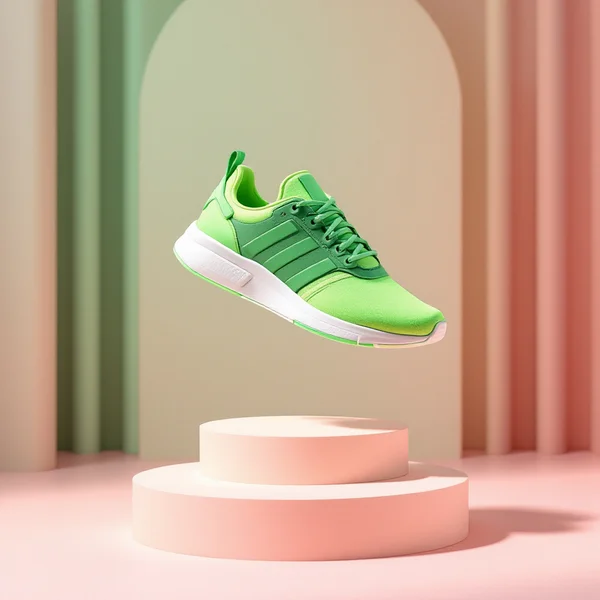
Product photo of a glass perfume bottle on a white stone pedestal, soft diffused studio light, gentle reflections, pale beige background, clean commercial look
3. Lifestyle. A natural shot with people, and a good test of hand anatomy.
Lifestyle photo of two friends laughing in a cozy cafe, one holding a ceramic coffee cup with both hands, natural window light, candid moment, realistic hands and expressions
4. Fashion editorial. A magazine-style look.
Fashion editorial, a model in an oversized camel coat walking across a city crosswalk, motion in the background, overcast soft light, magazine photography, full body shot
5. Food photography. A mouth-watering dish for a menu.
Close-up food photography of a stack of fluffy pancakes with blueberries and maple syrup dripping, rustic wooden table, morning sunlight, steam rising
6. Photo edit. An instruction for image-to-image mode.
Keep the person and pose exactly the same, change the background to a sunny Mediterranean terrace, adjust the lighting to warm late afternoon sun
Tips for prompting Seedream 5.0 Pro
Talk like a photographer
The model is tuned for photorealism, so brief it the way you would brief a photographer: shot size (close-up, full body shot), light (soft diffused light, golden hour), depth of field and mood. That works far better than vague adjectives like "beautiful" or "amazing".
Name concrete textures
Materials make a frame feel real: wool sweater, ceramic cup, white stone, rustic wood. The more precisely you name a texture, the more convincing it looks.
Describe what hands and bodies are doing
If there are people in the shot, say exactly what they are doing: holding a cup with both hands, leaning on a railing, walking across a crosswalk. A concrete action helps the model build a natural pose.
In editing mode, say what to keep
"Keep the person and pose exactly the same" significantly reduces unwanted changes. Ask for one or two edits at a time rather than a full rework.
Specify the camera and lens feel
Phrases such as "35mm film look", "shot on a phone", "macro lens" or "wide-angle interior shot" steer the overall character of the image. Pick one and stick with it across a series so your visuals feel like they come from the same shoot.
Save 2K for final versions
Explore ideas at the standard size, then render the final frame at higher resolution. Check the cost of the larger size in the dashboard before you run it.
Use cases
- Marketplaces and online stores. Product and lifestyle shots without a studio.
- Social media managers and creators. A steady stream of photorealistic content for posts and stories.
- Ad agencies. Fast concepts and visual options for client sign-off.
- Restaurants and cafes. Dish photos for menus, websites and delivery apps.
- Interior designers and developers. Visualisations of spaces, exteriors and architecture.
- Fashion brands. Editorial-style looks for mood boards and campaigns.
The editing mode deserves a special mention: if you already have a photo of a product or person, you can adapt it to different seasons, backgrounds and formats without going back to the shoot.
Workflow: a consistent product series
A catalogue needs consistency: the same light, background and angle across every photo. Write a base prompt template, for example "product photo on a white stone pedestal, soft diffused studio light, pale beige background", and swap only the product name. If you already have product photos, upload them in editing mode with the same background instruction each time. The series will look as if it was shot on one day in one studio.
Workflow: from generation to a targeted fix
Often the first generation is 90 percent there: the composition and light are good, but the dress is the wrong colour or there is a stray object on the table. Rather than regenerating with a new prompt, feed the result back in editing mode and ask for just that change. You keep everything that already works and pay for one extra generation.
Seedream 5.0 Pro compared with other models
| Model | Strength | When to choose it |
|---|---|---|
| Seedream 5.0 Pro | Photorealism, anatomy, up to 2K, editor | Realistic scenes with people plus photo edits in one model |
| FLUX.2 Pro | Photorealism, portraits | A different take on photorealistic portraits |
| FLUX 1.1 Pro Ultra | 4 MP, no upscaling | You need higher resolution straight away |
| Nano Banana Pro | Premium editor, 4K | Complex edits and 4K for premium work |
| Seedream 4.0 | Anime, illustrations | Stylised artwork rather than photos |
For photorealistic portraits, compare results with FLUX.2 Pro: the two models render light and skin differently, and either may suit a given project. If you need more resolution without upscaling, look at FLUX 1.1 Pro Ultra. For premium edits and 4K there is Nano Banana Pro, though it costs more. And for anime and illustration, the previous generation, Seedream 4.0, remains a good pick.
Limitations and what to keep in mind
- 2K maximum. Large-format print may need an upscale.
- Up to 5 input images. For complex collages you will need to pick the most important references.
- Pricing is for 1024 × 1024. Higher-resolution renders may cost differently.
- Text in images. The model is not positioned as a typography specialist; for posters with lettering, other generators are a better fit.
- Responsible use. Do not create misleading photos of real people, and only edit images you have the rights to.
FAQ
How much does one Seedream 5.0 Pro image cost?
$0.11–$0.12 depending on the plan. The free trial balance covers five images.
What is the maximum resolution?
Up to 2K.
Can I edit my own photos?
Yes. The model also works as an editor: upload up to 5 images and describe the change.
How does Seedream 5.0 Pro differ from Seedream 4.0?
Seedream 5.0 Pro is the new generation, focused on photorealism, anatomy and 2K. On WebTerra AI, Seedream 4.0 is recommended mainly for anime and illustration.
Which language should I prompt in?
English gives the most accurate understanding of the scene.
Is it good for product photos?
Yes, product shots are one of its main presets. If you already have product photos, use editing mode to change the background or setting.
Seedream 5.0 Pro combines photorealistic generation and editing in one model at a moderate price. Sign up, claim your free trial balance and create your first images in the WebTerra AI dashboard.
Try AI models yourself
Models for video, images and audio in one place — a free trial balance when you sign up
Start for free