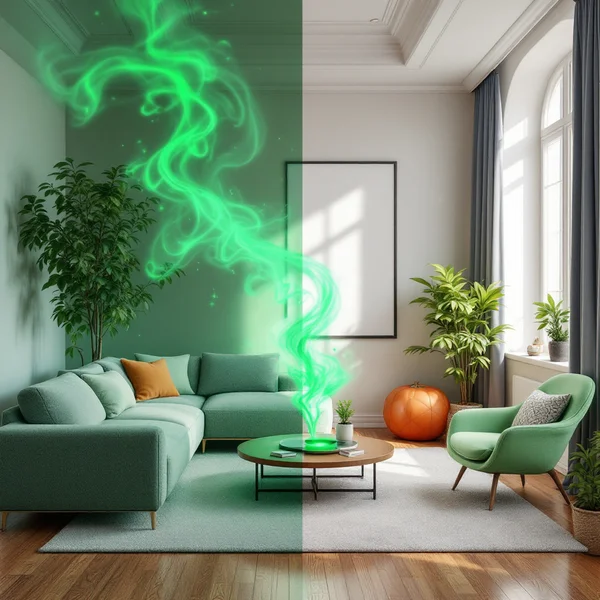
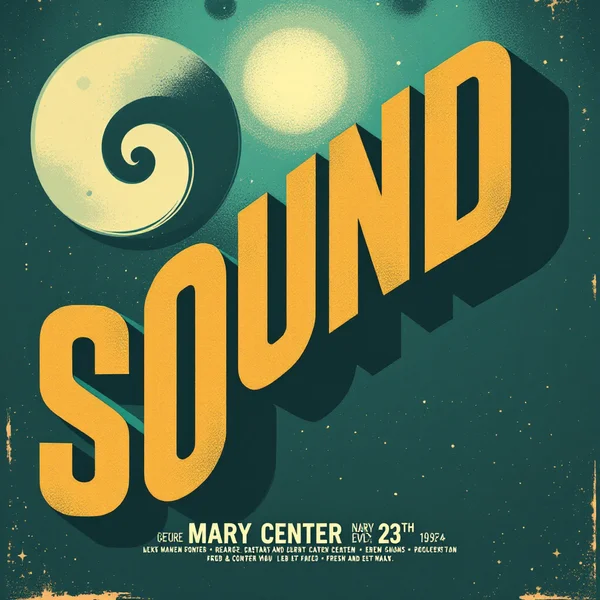
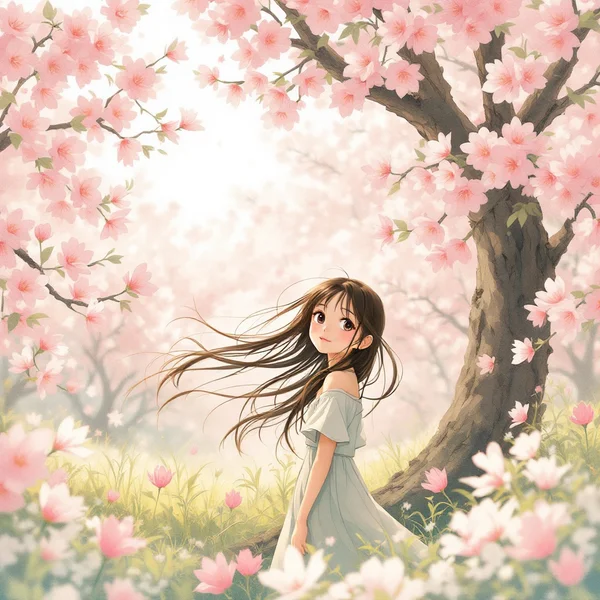
Seedream 5 Lite Review: Fifth-Gen Images at a Low Price
Seedream 5 Lite from ByteDance is a lighter fifth-gen model: it handles complex prompts, accepts up to 5 references and costs about six cents per image. Review, pricing and prompts.
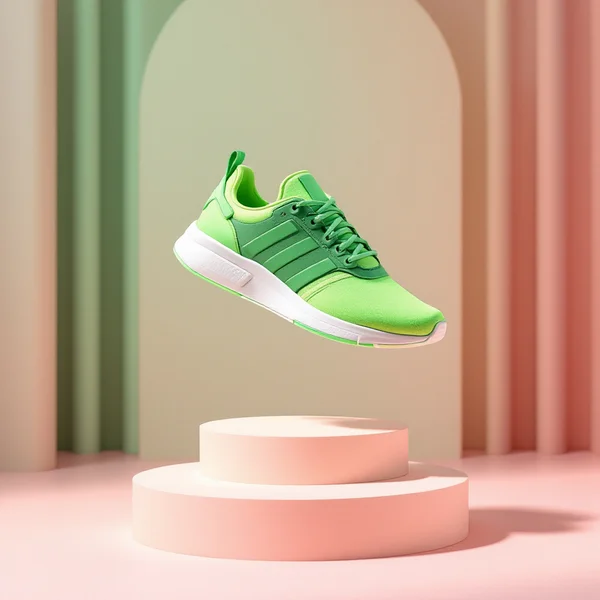
This Seedream 5 Lite review looks at a model that combines two things that rarely go together: next-generation understanding of complex prompts and a very low price. The WebTerra AI model card describes it as “a lighter Seedream 5: next-gen understanding of complex prompts at the price of 4.5. A good pick for bulk generation.” One image costs about six cents — and that’s for a model that doesn’t just draw from text but also works with your own reference photos.
Seedream is ByteDance’s family of image models, known for versatility — from photorealistic scenes to illustrations. The fifth-generation Lite version is aimed at people who need a lot of good images without a big budget: social media teams, marketplace sellers, content creators. In WebTerra AI the model is marked as new and is available online in the main image generator.
Let’s look at what Seedream 5 Lite can do, how to use it in the dashboard, what a generation costs, how to work with references and how it differs from its siblings and competitors.
What Seedream 5 Lite can do
- Text-to-image. Describe a scene and the model creates it. Its strength is complex, multi-element descriptions where every detail needs to be honored.
- Editing and generating from photos. The image-to-image mode lets you upload references and get a new picture based on them.
- Up to 5 references. You can pass several photos at once — a product, a character, a style, a setting — and combine them in one frame.
- Bulk generation. At around six cents an image, you can make series and variations without straining the budget.
- Safety filter. Content checking is on by default, and each run produces one image.
The dashboard offers presets for this model: cinematic portrait, product shot, landscape, food photography, social media creative, interior, fashion editorial, lifestyle photo, architecture and exterior, fantasy and concept art. A preset fills in a prompt template that you then extend with your own details.
Seedream 5 Lite specs
| Parameter | Value |
|---|---|
| Developer | ByteDance |
| Type | Image generation and editing |
| Input modes | Text → image; image → image |
| References per run | up to 5 |
| Images per run | 1 |
| Safety filter | On by default |
| Price per generation | 5 credits (about $0.06) |
How to use Seedream 5 Lite in WebTerra AI
- Sign up for WebTerra AI — you’ll get a free trial balance after registration.
- Open the image generator in the dashboard and select Seedream 5 Lite.
- To generate from scratch, choose a preset or write your own prompt.
- To work with photos, upload one to five references and describe what to do with them: place a product in a new scene, change the style, combine objects.
- Check the price ($0.06) and start the generation.
- Review the result and, if needed, refine the prompt or swap a reference.
You can compare Seedream 5 Lite with other image models on the AI image generation page.
Seedream 5 Lite pricing
Seedream 5 Lite pricing is the same in credits on every plan — 5 credits per image. The dollar amount differs slightly because a credit costs a bit less on higher plans.
| Plan | Cost in USD |
|---|---|
| Starter | $0.06 |
| Pro | $0.06 |
| Ultra | $0.06 |
The 60 free credits equal 12 images — enough to try both text-to-image and reference-based generation and to compare the model with pricier alternatives. Plans and credit packs are on the pricing page.
For bulk work this number matters: a hundred images come to roughly six dollars. A single professional product shoot costs many times more.
Seedream 5 Lite prompt examples
Each prompt is followed by a note on what it demonstrates.
1. A complex, detailed scene
A cozy bookstore cafe on a rainy evening, a barista pouring latte art, two customers reading by the window, a ginger cat sleeping on a stack of books, warm tungsten light, rain streaks on the glass
A test of the model’s core skill: several people, an animal, action, light and weather — all in one frame.
2. Product shot for a marketplace
Product photo of a glass perfume bottle on a white marble pedestal, soft diffused light, subtle reflection, clean light beige background, centered composition
The “Product shot” preset. Name materials (glass, marble) and the quality of light precisely.
3. A product in a new setting from a reference
Place the sneaker from the reference image on a wet city street at night, neon reflections in puddles, low angle, the sneaker is the main focus
Reference mode: upload a product photo and describe the new scene. “From the reference image” helps the model understand what to keep.
4. Combining several references
The woman from the first image wearing the jacket from the second image, standing in the interior from the third image, natural daylight, fashion editorial style
Up to five photos let you assemble a look from parts: person, clothing, location. Number your references in the prompt.
5. Food photography
Top-down photo of a steaming bowl of ramen with a soft-boiled egg, chopsticks resting on the rim, dark wooden table, linen napkin, soft window light
The “Food photography” preset: specific dishes, tableware and textures make the shot appetizing.
6. Concept art
Epic fantasy concept art of a floating city above the clouds, waterfalls falling from its edges, airships docking, golden hour, highly detailed
The “Fantasy and concept art” preset — for games, books and covers.
Tips for writing Seedream 5 Lite prompts
Don’t shy away from long descriptions
The model is positioned precisely as one that understands complex prompts. So list the characters, their actions, the setting, the light and the style up front instead of hoping it will guess.
Structure the prompt
A handy pattern: what’s in the frame → what’s happening → where → what light → style and angle. This order lowers the risk of a detail getting lost.
Refer to references clearly
When you upload several photos, write “from the first image”, “from the second image” and explain what to take from each: face, clothing, product, background, palette.
State the style explicitly
Product photo, editorial, watercolor illustration, 3D render, film still — a style word at the start or end of the prompt has a big effect on the result.
Make variations, not one perfect attempt
At $0.06 a run, it pays to generate several versions with different angles or lighting and pick the best.
Finish with other tools
If an image needs to be larger for print, use the upscaler in the WebTerra AI editor. To remove a stray object, use the object-removal tool.
A practical example: a product listing set from one reference
Here’s how to put together a full image set for one product in about half an hour using reference mode.
- Prepare the reference. One sharp photo of the product in daylight, with nothing else in the frame. If the background gets in the way, remove it first with the background-removal tool.
- Make the hero image. A neutral scene: light background, soft light, product centered. This is the listing cover.
- Add context. Two or three shots of the product in use: in a kitchen, in someone’s hands, on a desk. Build the prompt as “product from the reference + place + light”.
- Make a seasonal version. The same scene with a holiday, summer or autumn mood — for promotions and banners.
- Select and refine. Check that the product’s shape, color and logo are preserved. Simply regenerate the misses.
Six to eight generations for such a set come to $0.33–$0.44 — less than a new user’s free balance.
Who Seedream 5 Lite is for
- Marketplaces and online stores — series of product shots and lifestyle images built from a reference.
- Social media teams — daily content, variations for A/B tests, seasonal creatives.
- Advertising — quick concepts and banners with several options to choose from.
- Content creators and bloggers — article illustrations, covers, thumbnails.
- Interior designers and architects — visualizing ideas for client presentations.
- Game developers and writers — concept art and illustrations while searching for a style.
Seedream 5 Lite vs other image models
| Model | Strength | When to choose it |
|---|---|---|
| Seedream 5 Lite | Complex prompts, up to 5 references, low price | Bulk generation, products in new scenes |
| Seedream 4.0 | Anime, illustrations | You specifically want a drawn, illustrative style |
| FLUX.2 Pro | Photorealism, portraits | The priority is the most realistic portrait possible |
| Nano Banana Pro | Premium editor, 4K | You need 4K resolution and precise edits |
| Ideogram V3 | Posters and flyers | Text is part of the design |
The honest verdict: Seedream 5 Lite is the rational choice when you need lots of images and your prompts are complex. For a single premium 4K shot or precise editing, look at Nano Banana Pro. For portraits where every skin detail counts, FLUX.2 Pro. For posters with lettering, Ideogram V3. And if you want cheap images with a candid, reportage look, try Grok Imagine.
Seedream 5 Lite limitations
- It’s a Lite version. This is the lighter variant of the fifth generation; premium models exist for the most demanding work.
- One image per run. For a series, run the generation several times.
- Five references maximum. More complex compositions need to be split into stages.
- Safety filter. It’s on by default, so requests for unacceptable content are rejected.
The general rule for all models applies as well: only use reference photos you have rights to, and don’t create misleading images of real people.
FAQ
How much does one Seedream 5 Lite image cost?
5 credits on any plan: about $0.064 on Starter, $0.060 on Pro and $0.058 on Ultra.
Can I upload my own photos?
Yes, image-to-image mode accepts up to 5 references.
How is Seedream 5 Lite different from Seedream 4.0?
It’s the fifth generation, with better understanding of complex prompts; in WebTerra AI, Seedream 4.0 is recommended mainly for anime and illustrations.
How many images can I create for free?
The free trial balance covers 12 images.
What language should prompts be in?
English gives the most precise results.
Who develops it?
ByteDance, the company behind the Seedream model family.
Seedream 5 Lite is a practical tool for anyone who needs plenty of good images every day: complex scenes, products from references and a price of about six cents per shot. Sign up for WebTerra AI, claim your 60 credits and create your first 12 images in the dashboard.
Try AI models yourself
Models for video, images and audio in one place — a free trial balance when you sign up
Start for free