Grok Imagine Review: Candid AI Images from xAI Online
Grok Imagine from xAI is a fast, low-cost model for candid shots that look like real snapshots, plus meme scenes. A look at features, pricing, prompts and how it compares with FLUX and Nano Banana.
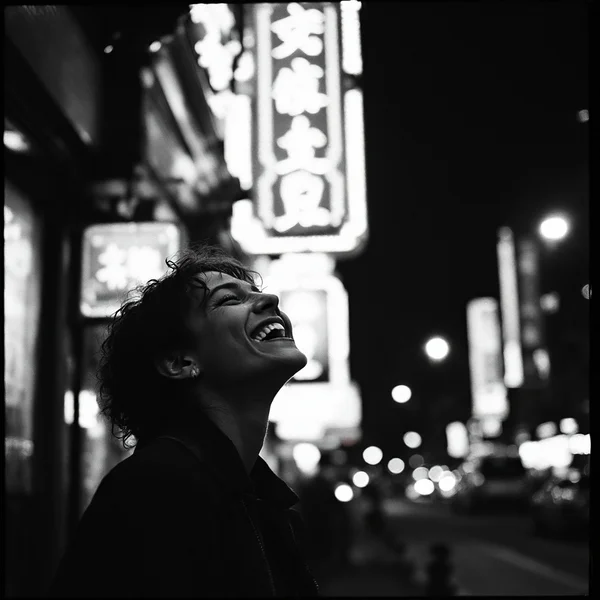
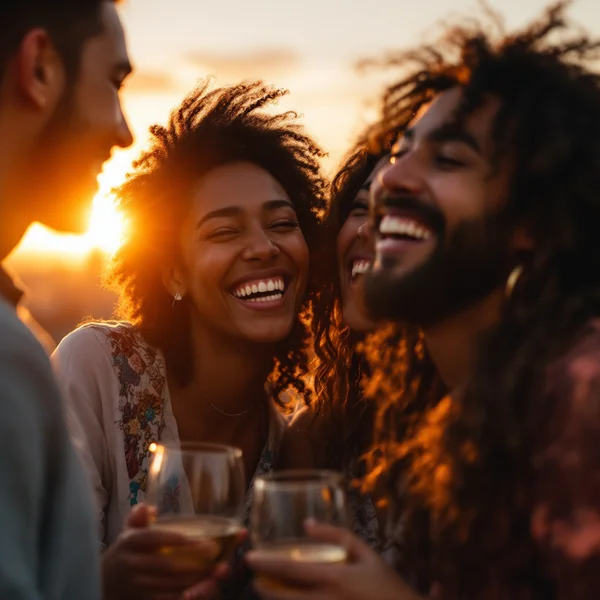
This Grok Imagine review covers xAI’s image model, which bets on authenticity rather than gloss. Its strength, as the WebTerra AI model card puts it, is “candid ‘reportage’ images and meme scenes for pennies” — pictures that look as if someone grabbed a phone in the middle of the moment, not set up a studio with lights and a stylist. On social media, where people have learned to scroll straight past polished ads, that is a real advantage.
xAI is the company known for the Grok language model, and Imagine is its image-generation line. In WebTerra AI, Grok Imagine is available online in the main generator alongside dozens of other models, and it sits firmly in the budget tier: one image costs a little over ten cents. The tags on the card say it all — “budget”, “fast”, “social media”.
Below we’ll go through what the model can do, how to use Grok Imagine in the dashboard, what a generation costs on each plan, which prompts work best and when another model is the better choice.
What Grok Imagine can do
Grok Imagine creates images from a text description. Its specialty is natural, unstaged shots and scenes with a sense of humor.
- Reportage look. Images feel like real snapshots: lively light, natural poses, a sense of the moment.
- Meme scenes. Absurd, ironic situations that land well in posts and group chats.
- Text-to-image. The main mode is a written description, with no reference images required.
- Size set by aspect ratio. You pick the frame proportions and a 1K or 2K quality level, and the model works out the final pixel size.
- Low price. One generation costs from 10 credits, so you can try several versions without worrying.
By default the model produces a square 1:1 frame at 2K. For stories or covers, just change the aspect ratio in the generator settings.
To help you start, the dashboard has ready presets: cinematic portrait, product shot, landscape, food photography, social media creative, interior, fashion editorial, lifestyle photo, architecture and exterior, fantasy and concept art. Each fills in a prompt template you can edit.
Grok Imagine specs
| Parameter | Value |
|---|---|
| Developer | xAI |
| Type | Image generation |
| Input mode | Text → image |
| Quality | 1K or 2K (2K by default) |
| Default aspect ratio | 1:1 |
| Style | Candid “reportage” shots, meme scenes |
| Price per generation | 10–11 credits (about $0.12–$0.14) |
How to use Grok Imagine in WebTerra AI
- Sign up for WebTerra AI — 60 free credits land in your account right away.
- Go to the image generator in the dashboard and pick Grok Imagine from the model list.
- Choose a preset or write a prompt from scratch.
- Set the aspect ratio (1:1, vertical for stories, horizontal for a banner) and 1K or 2K quality.
- Check the price shown in the dashboard and start the generation.
- If the shot is almost there, refine the prompt — add a detail about light, angle or mood — and run it again.
Other image models, from photorealism to vector graphics, are collected on the AI image generation page.
Grok Imagine pricing
Grok Imagine pricing is among the most affordable for image models. The table shows the cost of one generation with default settings.
| Plan | Credits | Cost in USD |
|---|---|---|
| Starter | 11 | about $0.14 |
| Pro | 10 | about $0.12 |
| Ultra | 10 | about $0.12 |
The 60 credits you get at sign-up cover about five images on the Starter plan — enough to get a feel for the model’s style and compare it with others. Plan details and bundles are on the pricing page.
Grok Imagine prompt examples
Each prompt comes with a short note on why it works and what you can change.
1. Lifestyle that looks like a real photo
Candid phone photo of two friends laughing at a street food stall at night, neon signs, slight motion blur, natural skin, no posing
A classic reportage shot: “candid”, “phone photo” and “no posing” push the model toward a lively, unstaged picture.
2. A meme scene
A serious office meeting where everyone is a cat in a tiny business suit, one cat is asleep on the laptop, documentary photo style
An absurd situation shot “seriously” is the basis of most memes. The documentary style makes the joke funnier.
3. Food photo for stories
Overhead candid shot of a messy breakfast table, coffee cups, half-eaten croissants, morning sunlight through the window, vertical 9:16
A bit of mess makes food feel alive. Pick a vertical aspect ratio for stories.
4. A product in a real-life setting
A ceramic coffee mug on a cluttered wooden desk next to an open notebook and headphones, afternoon light, shot on a phone, shallow depth of field
Not a studio packshot but a product “in the wild” — on social media this often performs better than a perfect white background.
5. Cinematic portrait
Cinematic portrait of an elderly fisherman on a pier at dawn, foggy harbor, warm rim light, film grain, looking past the camera
The “Cinematic portrait” preset in action: light, atmosphere, film grain.
6. Coverage of an imaginary event
News photo of a giant inflatable rubber duck floating down a city river, crowds on the bridge taking photos, overcast day
News-photo styling combined with an unusual subject plays to the model’s strengths.
Tips for writing Grok Imagine prompts
Name the genre of the shot
Words like candid photo, phone photo, documentary style, news photo and street photography set the look instantly. The model leans toward natural shots, so these cues reinforce its strength.
Describe a moment, not a pose
Instead of “a woman stands and smiles”, write what is happening: “laughing as she turns toward someone’s joke”. Action makes the shot feel natural.
Add imperfections
A little motion blur, grain, random objects in the background, awkward light — the things a studio removes are what make this kind of picture believable.
Match the aspect ratio to the platform
Square 1:1 for the feed, vertical for stories and Reels, horizontal for banners and covers. The aspect ratio also sets the size, so decide on it before generating.
For memes, contrast serious and silly
An absurd situation described in completely serious language works best: “official photo”, “press coverage”, “press conference”.
Iterate cheaply
At around a dime per shot, it pays to make three or four variations with different details rather than spend an hour polishing a single prompt.
Common mistakes and how to fix them
- The shot looks too much like an ad. Remove words such as studio, perfect, flawless and professional lighting, and add candid, everyday, shot on a phone.
- The scene is overloaded. List ten objects and the model tries to fit them all. Keep the main subject, the action and two or three details of the setting.
- The meme isn’t funny. Usually there isn’t enough contrast. Describe the situation as plainly and seriously as possible — the absurdity should be in the plot, not the adjectives.
- Wrong composition for the platform. A square cropped into a story loses half the scene. Generate in the right proportions from the start.
- Results all look the same. Change conditions as well as wording: time of day, weather, angle (from above, low angle, over the shoulder), distance to the subject.
A useful habit is to keep prompts that worked in your own library. For regular content, swapping the character or location is enough, and your feed keeps a recognizable style.
Who Grok Imagine is for
- Social media managers — a steady stream of natural-looking images for posts and stories without photo shoots.
- Meme makers and entertainment pages — fast absurd scenes.
- Small businesses — lifestyle shots with products for social media on a small budget.
- Bloggers — post illustrations and covers.
- Marketers — quick testing of creative ideas before a more expensive shoot or generation.
Drafting is a use case of its own. When you don’t yet know which visual direction to take for a campaign, you can sketch a dozen ideas in Grok Imagine for the price of one or two generations in premium models, show them to the team, and only then make the final shots where maximum detail matters.
Grok Imagine vs other image models
| Model | Strength | When to choose it |
|---|---|---|
| Grok Imagine | Candid shots, memes, low price | Social media, high-volume content, a natural look |
| FLUX.2 Pro | Photorealism, portraits | You need a precise, detailed photorealistic image |
| Nano Banana 2 | 4K, text in images | You need high resolution or legible text in the picture |
| Ideogram V3 | Posters and flyers | Graphic design, posters, text as part of the layout |
| Seedream 4.0 | Anime, illustrations | A drawn style instead of a photo |
Honestly, Grok Imagine wins where price and an unforced look matter. If you need a flawless advertising photo with controlled lighting, FLUX.2 Pro is the better fit. When the image needs text or 4K resolution, go with Nano Banana 2. For posters, Ideogram V3; for illustrations and anime, Seedream 4.0.
Grok Imagine limitations
- 2K maximum. For large prints or high-resolution banners you’ll need an upscaler or a different model.
- Size is set by proportions. You can’t enter an arbitrary width and height in pixels — only an aspect ratio and 1K/2K.
- Text is the main mode. The model is built for generating from a description, not for editing existing photos.
- The “real snapshot” look isn’t always right for premium advertising that calls for gloss.
The general rules apply too: don’t generate images of real people in situations that could mislead, and check rights if you use images in advertising.
FAQ
How much does one Grok Imagine image cost?
11 credits (about $0.14) on Starter, 10 credits (about $0.12) on Pro and 10 credits (about $0.12) on Ultra.
What resolution does it produce?
1K or 2K; the final size depends on the aspect ratio you choose. The default is 2K in a square 1:1 frame.
What language should I write prompts in?
English works best — the model picks up details more precisely that way.
Who makes Grok Imagine?
xAI, the company known for the Grok language model.
Is it suitable for advertising?
For social media and native ads, yes — candid shots work well there. For glossy ad photography, FLUX.2 Pro is a better choice.
How many images can I make for free?
The 60 free credits cover about five generations on the Starter plan.
Grok Imagine is an inexpensive way to get natural, unforced shots and meme scenes for social media. Sign up for WebTerra AI, claim your 60 credits and generate your first images in the dashboard — at about a dime per try, you can experiment freely.
Try AI models yourself
Models for video, images and audio in one place — 60 credits free when you sign up
Start for free