B-Roll for Your Videos with AI: Cutaways Without a Shoot
Cutaways rescue any talking-head video. Learn how to generate B-roll from text or a photo, write prompts in a cinematographer's language and drop the shots into your edit.
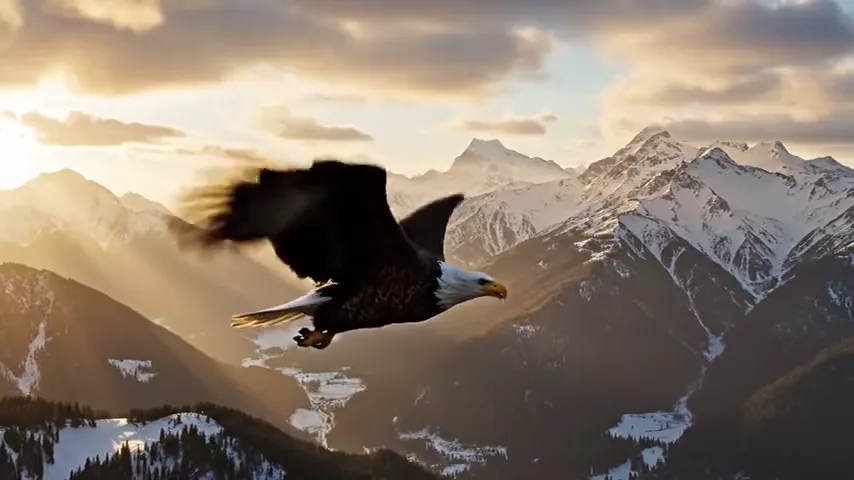
B-roll with AI means cutaways you never filmed that still look like a camera operator was right there. You talk about your morning coffee, and steam rises from a mug on screen. You mention deadlines, and a wall clock ticks against a night-time skyline. Shots like these hold attention and bring even a simple talking-head format to life.
Cutaways used to come from stock libraries or your own shoots. Stock clips show up in hundreds of other videos, and shooting your own eats a whole day. We at WebTerra AI will show you how to generate B-roll for a specific script: which model to pick, how to describe a shot the way a cinematographer would, and how to cut the result into your edit so it matches the rest of your footage.
Where cutaways come from: three routes
- Shooting it yourself. The most honest and precise option, but slow. Worth it for shots of your product, your location or real people.
- Stock footage. Fast, but recognizable, and it rarely matches your exact point.
- Generation. A shot built for a specific line of your script, in the right format and mood. Ideal for atmospheric, abstract and illustrative scenes.
In practice a mix works best: real footage where truth matters, generated footage where you need atmosphere.
Which model to use for B-roll
| Model | Duration | Strength | From |
|---|---|---|---|
| Veo 3.1 | 4, 6 or 8 s | 4K, synchronized audio, realistic motion | $4.17 |
| Kling 3.0 | 3–15 s | Smooth motion, photo animation | $0.93 |
| Hailuo 2.3 | 6 or 10 s | Facial expressions and emotion | $0.52 |
| Luma Ray 3.2 | 5 or 10 s | Cinematic lighting, HDR | $3.33 |
Veo 3.1: when you need sound
Veo 3.1 outputs video with synchronized sound built in: rain, street hum, a crackling campfire. For cutaways that's a real time-saver, because you don't have to hunt for ambient audio separately. It supports 16:9 and 9:16 at up to 4K.
Kling 3.0: the all-round workhorse
Kling 3.0 offers flexible lengths from 3 to 15 seconds and smooth motion. It shines when you already have a photo, say a shot of your desk, and want to turn it into a short moving clip.
Hailuo 2.3: people on screen
If your cutaway needs people with real emotion, someone laughing or gazing out of a window, Hailuo 2.3 handles facial expressions noticeably better. It's also the most affordable option in this lineup.
Luma Ray 3.2: the cinematic look
Luma Ray 3.2 focuses on cinematic lighting and physics, supports HDR and offers wide aspect ratios including 21:9. Use it for moody openers and epic establishing shots.
How to write prompts for cinematic shots
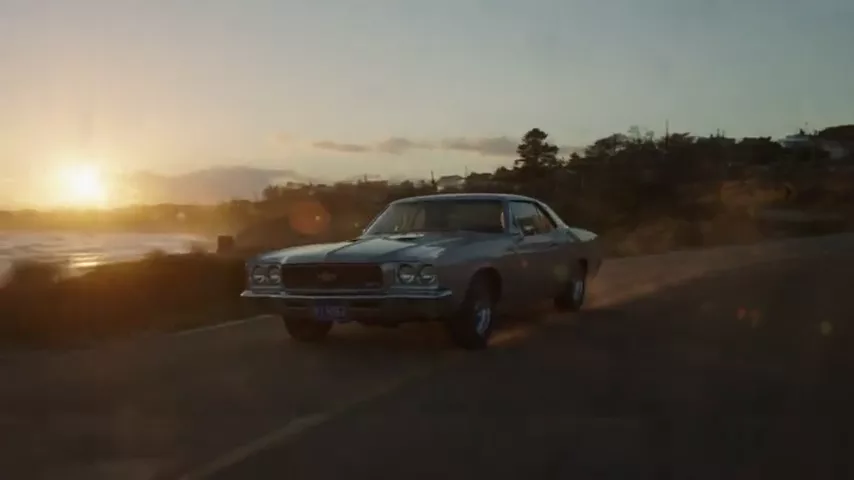
Models understand a cinematographer's vocabulary better than vague descriptions. Build your prompt in this order:
- Shot size: extreme close-up, close-up, medium shot, wide shot, aerial shot.
- Camera movement: slow push-in, dolly left, tracking shot, static tripod, handheld.
- Subject and action: what happens in the frame, kept to one simple action.
- Lighting: golden hour, blue hour, soft window light, neon, overcast.
- Style and mood: cinematic, documentary, moody, film grain, shallow depth of field.
One cutaway, one idea. Try to squeeze a city flyover, a person with coffee and a sunset into five seconds and the model gets confused.
A workflow from script to timeline
- Mark up your script. Highlight the lines where viewers need a visual: metaphors, places, objects, topic changes.
- Write a shot list. One line per highlight: shot size, action, mood.
- Generate drafts. Test ideas on a more affordable model first to see which shots actually work.
- Render the finals. For key moments like your opener or climax, use a model with higher quality or built-in sound.
- Build the timeline. Lay the cutaways over your main track, trim the edges and match the colours.
This order saves money, because you don't spend premium generations on shots that never make the final cut.
Editing: making AI shots fit your video
Length and rhythm
A typical cutaway lasts 2 to 5 seconds. Generate a little longer than you need, since the start and end of a clip are often less stable and easy to trim.
One consistent look
Describe colour and lighting the same way in every prompt for a given video, for example always "warm tones, soft light, film grain". Your cutaways will then look like a series shot by one camera operator rather than a patchwork from different sources.
Format for the platform
Use 16:9 for YouTube and 9:16 for Shorts and Reels. Set the format when you generate instead of cropping later, so you don't lose an important part of the frame.
Sound
If the model doesn't generate audio, add ambient sound separately. Your dashboard has models for sound effects and for merging audio with video in the audio generator.
Ready-to-use prompts
Each one targets a different type of cutaway.
Morning mood (Veo 3.1, with sound):
Close-up of coffee being poured into a white mug on a wooden kitchen table, morning sunlight through the window, steam rising, slow push-in, soft ambient kitchen sounds, cinematic, shallow depth of field
City at night (Luma Ray 3.2):
Wide aerial shot of a city skyline at blue hour, lights turning on in skyscrapers, slow forward drone movement, cinematic lighting, HDR, moody atmosphere
Work in progress (Kling 3.0):
Medium shot of hands typing on a laptop keyboard in a cozy home office, desk lamp light, slow dolly right, warm tones, film grain
A person with emotion (Hailuo 2.3):
Close-up of a young woman looking out of a rainy window, thoughtful expression slowly turning into a gentle smile, soft overcast light, static camera, documentary style
Nature opener (Veo 3.1):
Static wide shot of a misty pine forest at sunrise, light rays through the trees, birds singing, gentle wind in the branches, calm and cinematic
Common mistakes
- Packing several actions into one prompt, which makes the result chaotic.
- Mixing colour palettes across cutaways in the same video.
- Presenting generated shots as real footage of an actual event or place.
- Wrong format, such as a horizontal clip inside a vertical Short.
- Using the most expensive model for every shot, even background filler.
- Silence where there obviously should be sound. It gives the artificiality away.
FAQ
Can I use AI cutaways in monetized videos?
Generated shots are your content, but follow your platform's rules on labelling synthetic media, especially when the footage looks realistic.
Which model is cheapest for B-roll?
In this lineup, Hailuo 2.3, starting at $0.52. Kling 3.0 starts at $0.93. See the pricing page for all plans.
Can I animate my own photo instead of generating from scratch?
Yes, all four models work from a photo. Learn more on the photo-to-video page.
How many cutaways does a video need?
It depends on the format. A 10-minute narrated video often needs only 6 to 12 short shots at key moments.
Try it in WebTerra AI
Pick the three lines in your script that most need a visual and generate cutaways for them in the video generator. Every model is in one place, in your WebTerra AI dashboard.
Try AI models yourself
Models for video, images and audio in one place — a free trial balance when you sign up
Start for free