AI Headshots for Your CV and LinkedIn
What makes a good CV and LinkedIn photo, how to get a professional AI headshot from everyday selfies, what it costs and what not to change so interviewers still recognize you.
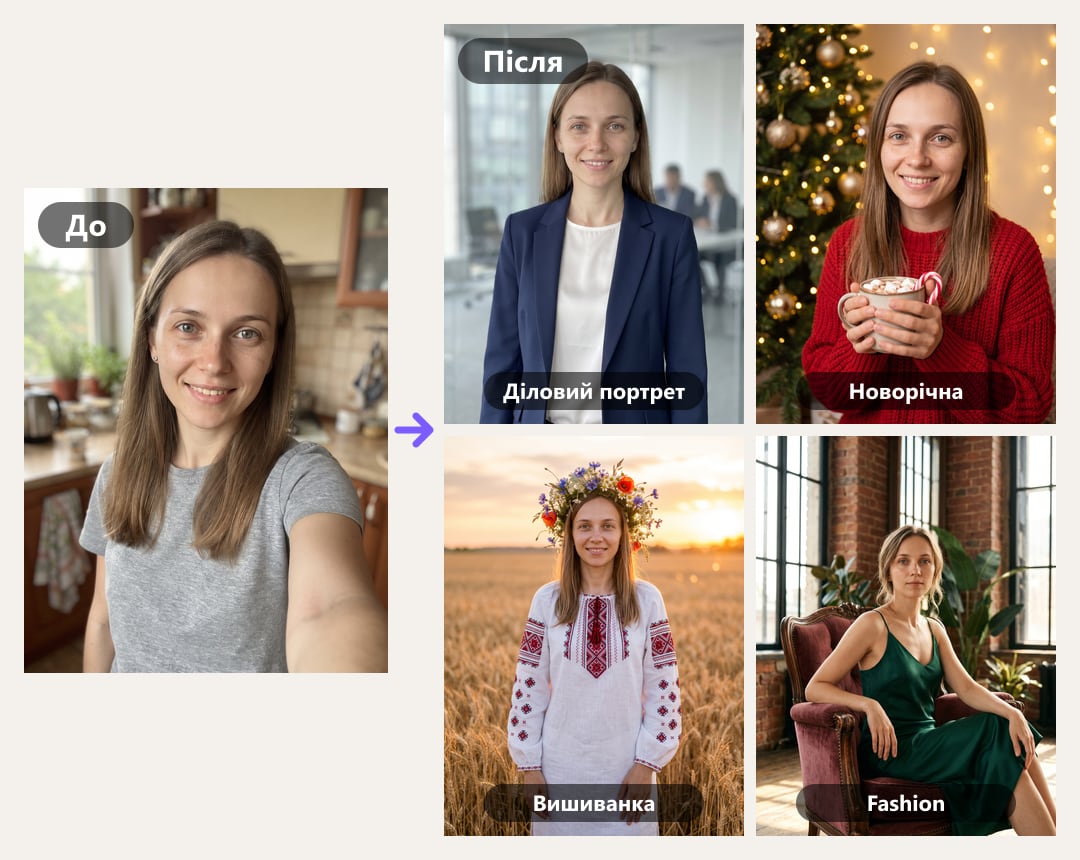
Your CV photo and LinkedIn picture are the first things a recruiter sees, before they read a single line about your experience. They don’t have to be perfect, but they do have to be tidy: a sharp face, even light, a calm background and a professional look. The problem is that most of us simply don’t have that photo. We have vacation selfies, a cropped shot from a friend’s wedding and a passport photo that only half resembles us.
The old answer was a studio. Now there is a second one: an AI headshot made from ordinary selfies. This guide covers what a good CV and LinkedIn photo looks like, how to get one through our AI photoshoot with a business portrait look, and where the line of honesty is.
At a glance
- A good professional headshot: head and shoulders, eyes to camera, neutral background, even light, work-appropriate clothing.
- LinkedIn needs a square: the photo is shown as a circle, so keep your face centered.
- The Business portrait look starts at 449 UAH (≈ $10) for the Start package (2 looks, 10 photos), delivered within 24 hours.
- We don’t change facial features — only clothes, background and lighting.
- AI photos are not suitable for official documents.
What makes a good CV photo
There are no legal rules for a CV photo, but there are well-established conventions that make the impression calm and professional:
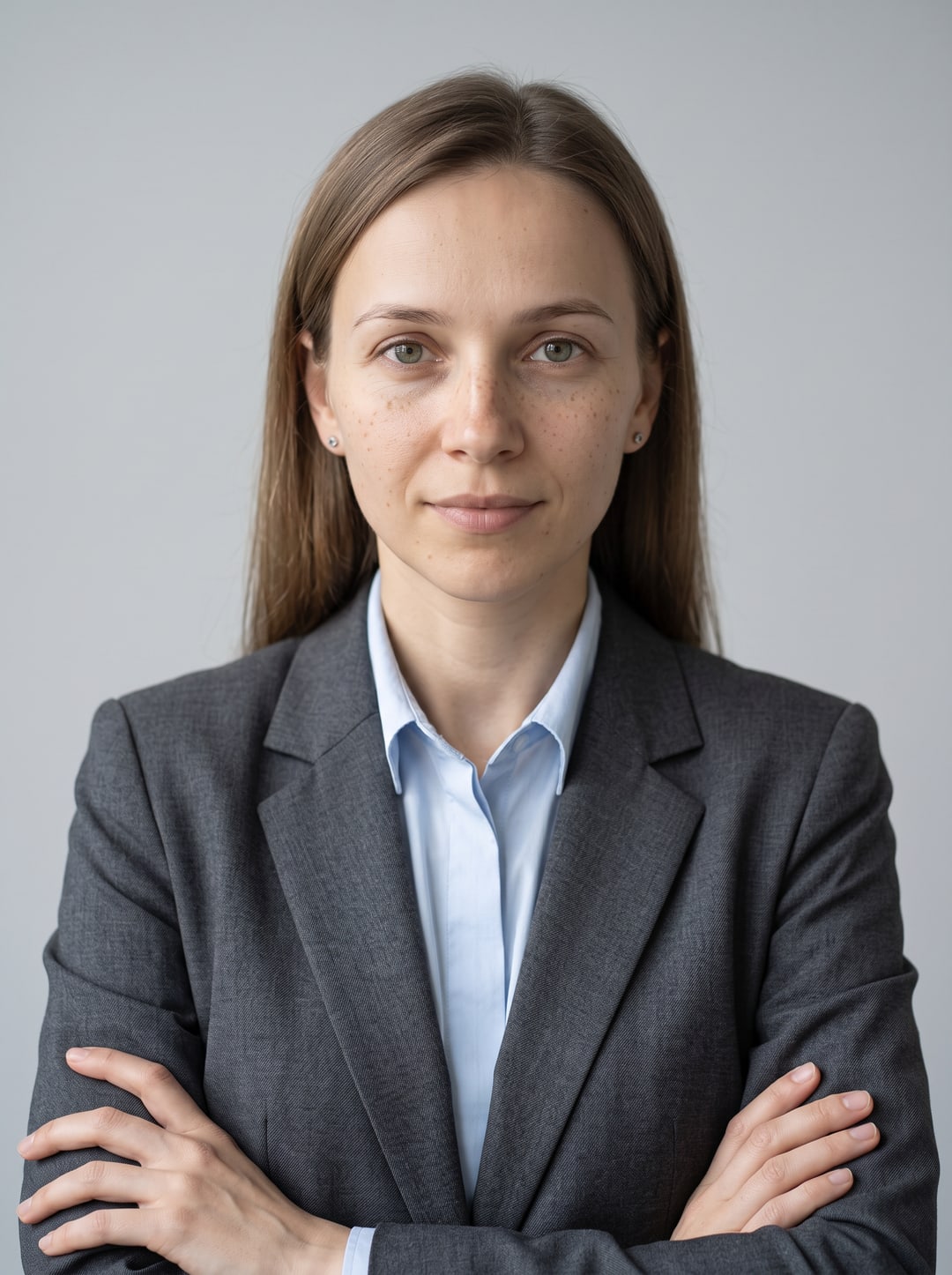
- Framing. Head and shoulders, or down to the chest. Your face takes up a noticeable part of the frame without touching the edges.
- Eyes to camera with a light natural smile or a relaxed expression. No dramatic posing, no profile shots.
- Background — plain or a blurred office. No kitchens, beaches, patterned walls or someone else’s shoulder.
- Light — even, without hard shadows across half your face.
- Clothing that fits your field: a blazer or shirt for office roles, a neat sweater for creative ones.
- Up to date. The person in the photo should be you today, not five years ago.
Expectations differ by country. In the US and the UK, photos on CVs are often left off; in Ukraine and much of continental Europe they are a normal part of a CV. On LinkedIn, though, a profile without a photo looks unfinished wherever you are.
LinkedIn profile photo: what to keep in mind
LinkedIn crops your profile photo into a circle, so upload a square and keep your face in the center. The commonly cited recommended size is at least 400×400 pixels; LinkedIn scales larger files down itself. The circle cuts off the corners, so leave a little space above your head.
A few LinkedIn-specific tips:
- Use the same photo across your work profiles — email, Telegram or Slack, your website. It makes you easier to recognize.
- The cover image is a separate wide picture. A studio or atmospheric frame works well there, but keep the profile photo itself professional.
- In creative fields you can get away with a colored background or the Studio look, but your face still needs to be clearly visible.
How to get an AI headshot for your CV
With us it is a regular AI photoshoot with the Business portrait look. You send 5–15 photos of yourself, and the AI creates new images: a dark blazer, a bright office or neutral background, soft light and a blurred backdrop. Three versions are made of every final photo, and an operator keeps the one that looks most like you.
- Open the AI photoshoot page.
- Choose the Start package (449 UAH, 2 looks, 10 photos) — enough for a CV and LinkedIn.
- Select the Business portrait and Studio looks; Studio gives you neutral portraits on a plain backdrop for profile pictures.
- Pick square 1:1 (LinkedIn and messengers) or portrait 3:4 (CV and website).
- Use the Wishes field for details: “light shirt, no blazer”, “hair tied back”, “no tie”.
- Upload your photos, enter your email and pay via monobank in UAH. No account needed.
You get the result within 24 hours. If your interview is tomorrow morning, choose “Urgent”: within 3 hours for +50% (674 UAH, ≈ $15, for Start).
Preparing selfies so the headshot looks like you
Source photos matter most. Daylight by a window, your whole face visible, no sunglasses or beauty filters, a few angles: straight on, slightly turned, waist-up. Keep the camera at eye level rather than below at arm’s length. The full checklist is in how to prepare photos for an AI photoshoot.
Where honesty ends
A CV photo is a promise: “this is what I look like”. If the interviewer doesn’t recognize you, it works against you. So:
- Don’t change your features, age, weight or eye color. Clothes, background and light are fine — that is what a stylist and photographer would do anyway.
- Don’t use AI photos for documents — passports, visas, IDs or any application that requires a real photo.
- Don’t create photos of another person without their consent.
A simple test: show the result to a colleague without explanation. If they say “nice photo” rather than “is that you?”, you’re fine.
AI headshot or studio?
A studio shoot gives you more control: the photographer fixes your collar, suggests a head tilt and shoots a series with different expressions. But you have to book it, travel, change and wait for the selection. An AI headshot wins when you need the photo fast, when the nearest studio is far away, or when you simply dislike being photographed. The price is predictable too: the Start package is 449 UAH including selection and a revision.
Order a business portrait
AI photoshoot with the Business portrait look from 449 UAH (≈ $10), within 24 hours or urgently in 3 hours. One revision is free.
Prefer to make a portrait yourself in the dashboard? There is a separate guide: personal brand photos with AI. All looks and packages are explained in what an AI photoshoot is and how much it costs, and every service is on the Services page.
FAQ
Is it OK to use an AI photo on a CV?
Yes, as long as it is you and your features are unchanged. Only clothes, background and light change — the same as in a studio.
Which format should I choose for LinkedIn?
Square 1:1. LinkedIn shows the photo as a circle, so your face should be centered. The usual recommendation is at least 400×400 pixels; our photos are larger.
How much does an AI headshot cost?
The Start package is 449 UAH (≈ $10) for 10 photos in 2 looks, for example Business portrait and Studio. Urgent delivery in 3 hours is 674 UAH.
Can I use it for a passport or visa?
No. Official documents require real photos taken to their specifications.
Can I ask for different clothes?
Yes, write it in the Wishes field: “light shirt”, “no blazer”, “dark dress”. The AI follows it within the look.
What if the headshot doesn’t look enough like me?
One revision is free: describe what is off and we’ll replace up to 5 photos.
Try AI models yourself
Models for video, images and audio in one place — a free trial balance when you sign up
Start for free