How to Prepare Photos for an AI Photoshoot: A Checklist
How many photos an AI photoshoot needs, which angles and light to use, and what to do about glasses, hair and filters — a simple checklist so the result actually looks like you.
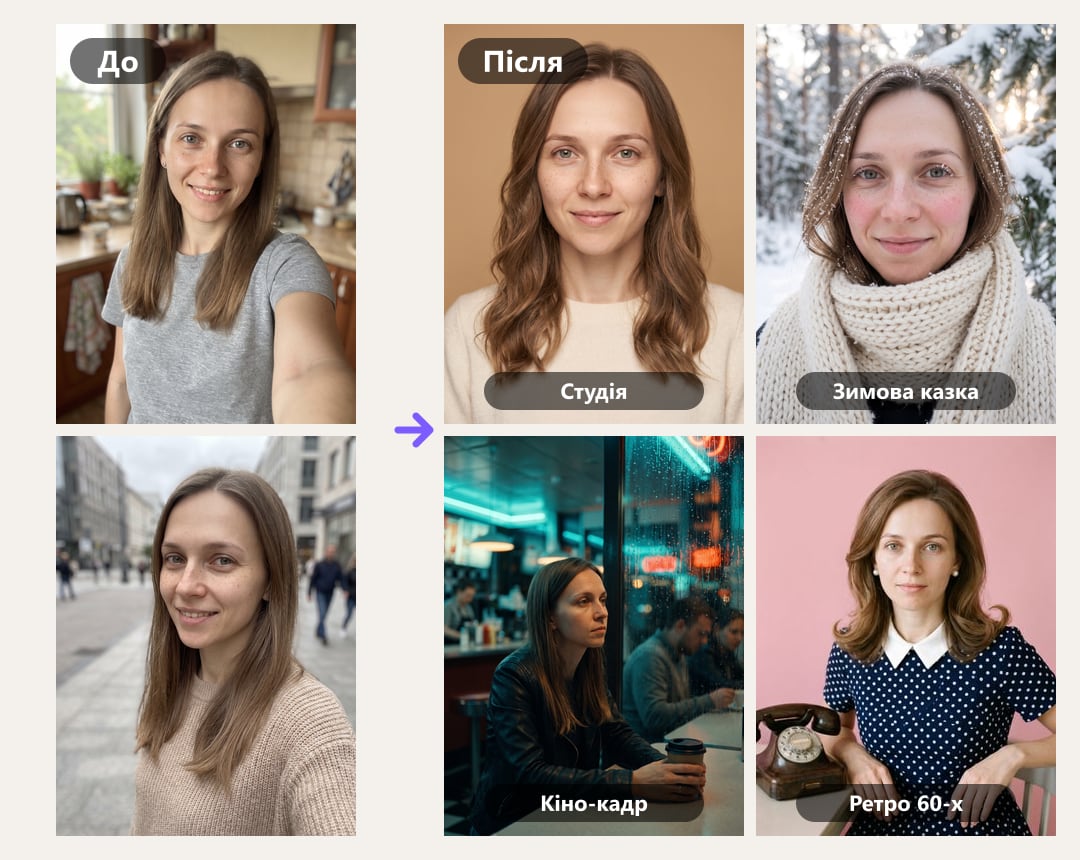
What decides how good an AI photoshoot turns out? Not the look and not the package — the photos you upload. The AI never sees you in person: everything it knows about your appearance comes from a handful of pictures. If your face is in shadow, behind sunglasses or under a heavy filter, the model fills in an “average” face and the likeness suffers.
The good news is that preparing photos for an AI photoshoot takes about 15 minutes with a phone at home. Below is the simple checklist we use ourselves when reviewing orders for our online AI photoshoot, plus examples of good source photos and the mistakes we see most often.
At a glance
- Upload 5 to 15 photos, with only you in each one.
- Mix the angles: close-ups and waist-up, straight on and slightly turned.
- Soft daylight; no sunglasses, masks or heavy filters.
- JPG, PNG or WebP, up to 10 MB each.
- For the Love story look, add 3–10 photos of the second person, who has agreed to it.
How many photos you need
The minimum is 5 and the maximum is 15. “More is better” sounds logical, but it is not quite true: ten varied, sharp photos beat fifteen near-identical selfies from the same angle. The AI needs to see your face from different sides and in different light to work out which features are really yours and which are just a passing shadow or expression.
A well-balanced set looks like this:
- 3–4 straight-on close-ups where your face fills most of the frame;
- 2–3 photos with your head turned about a quarter to the left and to the right;
- 2–3 waist-up photos that show your posture and shoulders;
- 1–2 smiling and 1–2 with a neutral expression.
Checklist: what every photo should be like
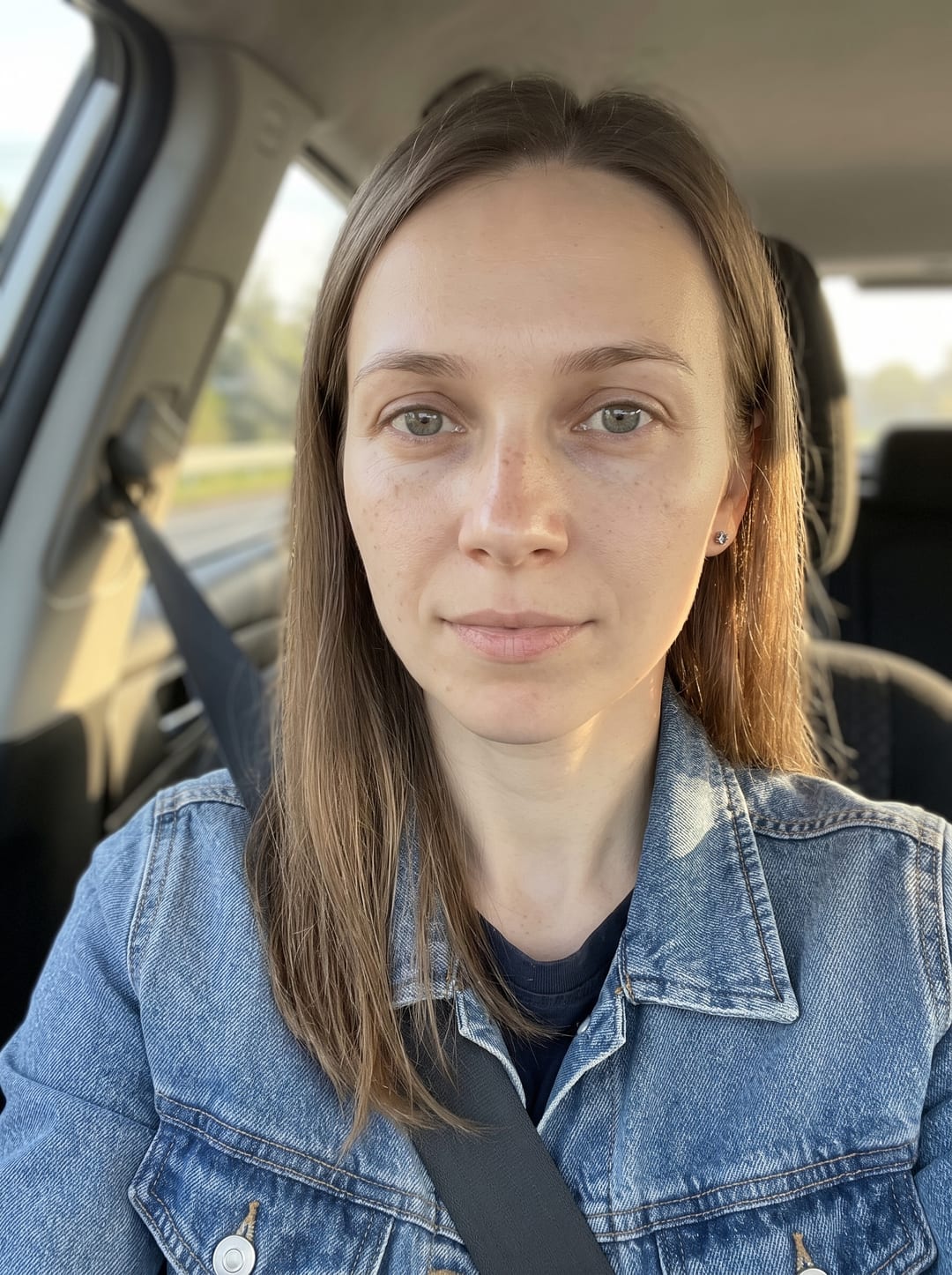
- Your whole face is visible. No sunglasses, masks, hands near your chin or hair over half your face. Prescription glasses are fine, but if you’d like to appear without them, include a few photos without them too.
- Soft daylight. A window during the day or outdoors on an overcast day works best. Avoid harsh midday sun, hard shadows and colored lamp light.
- No filters or “enhancers”. Beauty filters smooth skin and reshape noses and eyes. The AI treats that as your real appearance, and the result will look like the filter, not like you.
- Only you in the frame. Group shots where you stand at the edge confuse the model. If that is all you have, crop the other people out.
- Sharpness. No screenshots from stories and no photos that have been forwarded through messengers several times — they get compressed and lose detail.
- Camera at eye level. An arm’s-length selfie from below distorts facial proportions. Ask someone to take the photo or prop your phone on a shelf and use the timer.
- How you look now. Use photos from the last year or two. If you changed your haircut or hair color, the AI follows whatever it sees in most of the pictures.
Clothes, hair and makeup
Clothes in the source photos barely matter: the look replaces them anyway with a suit, an embroidered shirt or a winter coat. Plain, single-color clothing is best, because bold prints occasionally leak into the result.
Hair matters more. The AI tries to keep your hairline and overall length, so if half the photos show your hair tied up and half show it loose, you will get both. If you want one specific option, say so in the Wishes field: “hair worn loose”, “short haircut like in photo 3”.
Makeup is up to you, but skip stage makeup — it can stick to every look, including the ones where it looks out of place. Beards, moustaches, moles and freckles are preserved; if you want something removed (for example “no beard”), write it in your wishes. Removing a beard is fine, but we don’t recommend changing facial features — the photos should still be you.
Love story: what’s needed from the second person
Love story is the only look with two people in the frame. Besides your own photos, it needs 3–10 pictures of your partner, following the same rules: face clearly visible, only that person in each photo. Importantly, the second person must agree to the shoot. We don’t generate photos of people without their consent.
Common mistakes that ruin the likeness
- Every photo is the same selfie angle — the result comes out flat and repetitive.
- All photos taken in the last ten minutes in one spot: same sweater, same light. The AI may decide the sweater is part of you.
- Old photos from “when I was younger” — you’ll get the person you were back then.
- A beauty filter on every shot.
- Group photos where your face is tiny.
- Sunglasses, a hood, a mask, or a cap casting a shadow.
What happens after you upload
Before payment, the form and photos are checked automatically: if the pictures clearly won’t work (no face, several people, far too dark), you find out before you pay. The AI then makes three versions of every final photo, an operator keeps the most similar ones, and the set reaches you within 24 hours — or within 3 hours with the “Urgent” option (+50% to the price).
Your source photos are used only for your order and deleted 7 days after the result is delivered. Finished photos are stored for 30 days. If something is off, one revision is free: we replace up to 5 photos.
Photos ready? Order your AI photoshoot
Start 449 UAH (≈ $10), Standard 899 UAH (≈ $20), Premium 1799 UAH (≈ $39). No sign-up; payment via monobank in Ukrainian hryvnias.
Still choosing looks? Browse 10 AI photoshoot ideas with examples. What the packages include and how pricing works is in what an AI photoshoot is and how much it costs. All our services are on the Services page.
FAQ
How many photos do I need for an AI photoshoot?
Between 5 and 15. The sweet spot is 8–12 varied photos: close-ups, waist-up shots, different angles and expressions.
Can I upload photos with glasses?
Not sunglasses — they hide your eyes. Prescription glasses are fine, but add a few photos without them if you’d like to appear without glasses.
Are phone photos good enough?
Yes, any modern phone will do. What matters is daylight, sharpness and not using screenshots or photos forwarded several times through messengers.
What file formats and sizes are accepted?
JPG, PNG or WebP, up to 10 MB per file. Originals straight from your phone’s gallery work well.
Can I order an AI photoshoot for someone else?
Only with their consent and using their photos. For Love story, the second person’s consent is required.
What if the photos still don’t look like me?
One revision is free: tell us exactly what is off (for example “my nose is narrower”, “my hair should be darker”) and we’ll replace up to 5 photos with your comment in mind.
Try AI models yourself
Models for video, images and audio in one place — a free trial balance when you sign up
Start for free