AI for Bloggers: 12 Tasks You Can Hand Over to Neural Networks
Thumbnails, Reels, voiceovers, cutaways, background music: here are 12 routine blogging tasks you can hand to neural networks, and which models to use for each.
Using AI for bloggers doesn't mean letting a neural network run your channel. It means taking the grind off your plate: thumbnails, cutaways, background music, a quick voiceover, a still photo turned into a Reel. These small jobs eat your evenings, and they are exactly the ones that are easiest to delegate.
We at WebTerra AI see creators handle all of this from one dashboard every day: images, video, voice and music, without juggling five separate subscriptions. Below are 12 tasks. For each one we suggest a model, show how to phrase the request and point out where AI still falls short.
Treat it as a checklist. Pick the two or three tasks that cost you the most time and try handing them off this week.
Visuals: covers, illustrations and photos
1. Post and video covers
For photorealistic covers, FLUX.2 Pro is a strong all-rounder: portraits, products, moody scenes. It can also edit an uploaded photo from a text prompt and accepts up to 4 references. If the cover needs large, legible lettering, switch to Ideogram V4, which is built for text inside layouts.
2. Illustrations for written posts
Long newsletter issues and blog posts read better with an image. Boil your post down to one visual metaphor, such as "a person buried in paperwork" or "coffee and a laptop at sunrise", and run it through the image generator. FLUX.2 Pro starts at 4 credits per image.
3. Editing your own photos
Swapping a background, removing a stray object or changing the colour of a sweater is a job for Nano Banana Pro. It works on an uploaded photo, keeps faces intact, handles complex edits and outputs up to 4K. See the photo editor page for the full toolkit.
4. Background removal and upscaling
Thumbnails, merch and collages often need a cut-out subject or an old photo in better quality. Your dashboard has dedicated background-removal and upscaling tools for that. They are cheaper and more precise than asking a generative model to redraw the whole frame.
Video: Reels, B-roll and animated photos
5. A Reel from a single photo
Kling 3.0 brings stills to life: a slow camera push-in, hair moving in the wind, steam rising from a mug. Clips run from 3 to 15 seconds in 16:9, 9:16 or 1:1, so vertical video for Reels and Shorts is covered out of the box. Prices start at 85 credits per clip. Open the video generator to try it.
6. B-roll and cutaways
When you talk on camera about your "morning routine" or "city noise", viewers need something to look at. Short cinematic shots can be generated from text, no shoot or stock library required. When sound matters, Veo 3.1 is a good fit because it produces synchronized audio along with the picture.
7. First and last frame
Need a before-and-after transition, say an empty room turning into a finished studio? Kling 3.0 has a first-and-last-frame mode. You supply both images and the model fills in the motion between them.
8. Trending formats
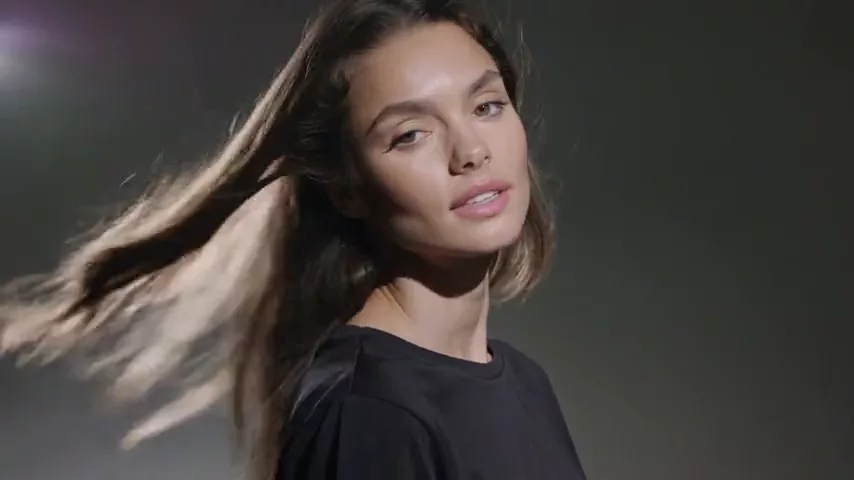
Rebuilding viral formats by hand takes forever. In the Trends section the model, duration, aspect ratio and prompt are already set up, so all you do is upload your photos.
Audio: voiceover, music and sound effects
9. Voiceover
ElevenLabs v3 delivers intonation, pauses and emotion that sound close to real speech, and it supports Ukrainian as well as English. It is handy for explainers, for localizing a video into another language, or for the day you lose your voice but still have an upload scheduled. Short clips start at 2 credits.
10. Background music without licensing headaches
ElevenLabs Music generates a 30-second track with clean studio sound, which is just right for a Reel or an intro. Describe the genre, mood and tempo. A track starts at 102 credits.
11. Sound effects
Pages turning, keyboard clicks, a whoosh on a transition: short SFX clips can be generated from a text description. They make an edit feel alive even without a sound engineer.
12. A talking avatar
For a quick announcement or a reply to comments, you can create an avatar from your photo and your own audio track, with lip movement and facial expressions synced to the voice. Only use your own photo or the photo of someone who has given consent.
Which model to use: a cheat sheet
| Task | Model | From |
|---|---|---|
| Photorealistic cover | FLUX.2 Pro | 4 credits |
| Cover with lettering | Ideogram V4 | 2 credits |
| Editing your photo | Nano Banana Pro | 25 credits |
| Reel from a photo | Kling 3.0 | 85 credits |
| Voiceover | ElevenLabs v3 | 2 credits |
| Background music | ElevenLabs Music | 102 credits |
Current plans are on the pricing page. Credits for a failed generation are refunded, so experimenting is low-risk.
Ready-to-use prompts
Swap in your own topic and adjust the details.
Cover for a productivity post (FLUX.2 Pro):
A cozy home office at sunrise, laptop with a notebook and a cup of coffee, warm golden light through the window, shallow depth of field, editorial photography, 4:5 composition
Animating a photo for a Reel (Kling 3.0):
Slow push-in camera, steam gently rising from the coffee cup, curtains moving slightly in the breeze, soft natural light, calm atmosphere
City B-roll (Veo 3.1):
Cinematic aerial shot of a city street at blue hour, cars with light trails, people walking with umbrellas, ambient city sounds, 9:16 vertical
Background music (ElevenLabs Music):
Upbeat lo-fi hip hop, warm vinyl texture, soft piano chords, relaxed tempo around 85 BPM, no vocals
Transition sound effect:
Quick whoosh transition sound, airy and clean, short tail
Where AI won't help
- Your voice as a creator. Your opinions, experience and point of view are why people follow you. A model can read your script aloud, but it can't replace your perspective.
- Reporting and facts. If you cover a real event or place, a generated shot is not evidence. Label illustrative footage as illustration.
- Other people's faces. Don't create videos of real people without their consent.
Common mistakes
- Delegating everything at once. Start with one task and build a routine around it.
- Writing three-word prompts. Add lighting, camera angle, mood and format.
- Using the most expensive model for drafts. Test the idea on a cheaper one, then render the final version.
- Forgetting the format: YouTube thumbnails are 16:9, Reels are 9:16.
- Publishing without a check. Look closely at hands, text and small details.
- Passing generated content off as real. Trust with your audience is worth more than one great post.
FAQ
Will my followers notice the content is AI-made?
Sometimes, especially if the model got a detail wrong. It's better not to hide it: many creators openly say their visuals are generated, and it doesn't hurt trust.
How much does it cost to get started?
When you sign up you get 60 free credits, valid for 48 hours. That's enough to test a few covers, a voiceover and a music track.
Can the voiceover be in languages other than English?
Yes. ElevenLabs v3 supports multiple languages, including Ukrainian, with natural intonation.
What if a generation fails?
Credits for a failed generation are refunded automatically. Refine your prompt or try a different model.
Try it in WebTerra AI
Pick one task from this list and get it done today. Every model, from images and video to voice and music, is waiting in your WebTerra AI dashboard.
Try AI models yourself
Models for video, images and audio in one place — 60 credits free when you sign up
Start for free