How to Write Prompts for AI Images: A Formula That Works
Subject, action, setting, light, camera, style: six building blocks that turn a random picture into a predictable result. Plus 10 templates you can copy today.
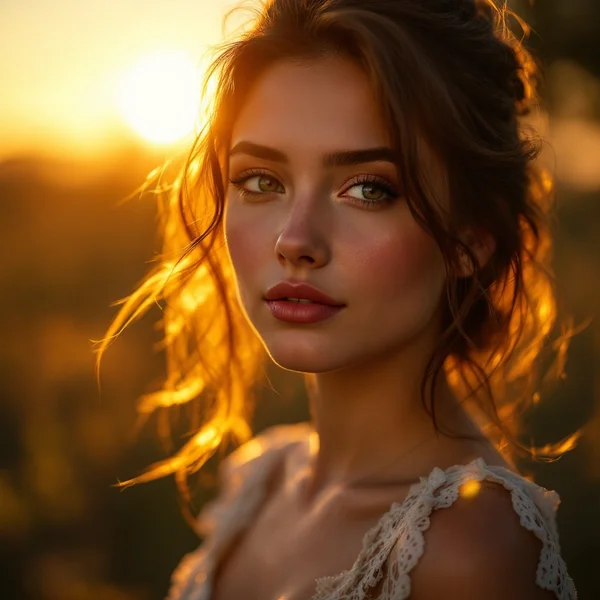
You type “a beautiful girl in a café” and get something glossy, flat and nothing like the picture in your head. Sound familiar? The model is rarely the problem — the prompt usually is. In this guide, we at WebTerra AI walk through how to write prompts for AI images so the result is predictable instead of a lottery ticket.
You’ll get a simple six-part formula, before-and-after examples, ten templates you can copy, and a list of the mistakes that send generations straight to the trash. You can test every one of them in the image generator in your WebTerra AI dashboard.
One mindset shift helps a lot: a prompt isn’t a magic spell. It’s a brief for an illustrator who has never met you and can’t ask follow-up questions. The more specifically you describe the frame, the less the model has to guess.
The prompt formula for AI images: six parts
This is the structure we use ourselves. Not every prompt needs all six parts, but when a result falls short, check which one is missing.
- Subject — who or what is in the frame. Not “a woman” but “a woman in her 40s with short grey hair in a wool sweater”.
- Action — what’s happening. “Holding a mug with both hands, looking out of the window”.
- Setting — where. “A small coffee shop, wooden tables, rain on the glass”.
- Light — how it’s lit. “Soft daylight from the window, warm reflections from pendant lamps”.
- Camera — how it’s shot. “Medium shot, 50mm lens, shallow depth of field”.
- Style — the look. “Documentary photography, natural colors, light film grain”.
Order matters: most models pay more attention to the beginning of the text. Put the essentials — subject and action — first.
Short phrases beat long sentences
You don’t need perfect prose. Comma-separated phrases work well and are easier to tweak: you can swap one fragment without rewriting the whole prompt.
Before and after: how the result changes
Let’s take a typical weak prompt and improve it step by step.
| Version | Prompt | What you get |
|---|---|---|
| Before | cat on a sofa | A generic cat, random lighting, stock-photo sterility |
| + subject and action | ginger cat stretching on a worn green velvet sofa | A specific cat in a specific pose |
| + setting and light | …in a sunlit living room, late afternoon light through blinds casting stripes | Mood and depth appear |
| + camera and style | …low angle, 35mm lens, shallow depth of field, editorial lifestyle photo | A frame that looks like a magazine shoot |
Each step narrows down what the model has to invent. With the final version you’ll rarely need more than a couple of retries.
Which model to use for your prompt
The same formula works across models, but each has its strengths. In WebTerra AI they all live in one dashboard, so you can run one prompt through two or three models and compare.
- FLUX.2 Pro — photorealism, portraits and artistic styles; it can also edit uploaded photos from a prompt with up to 4 references. From 4 credits per image, which makes it great for experimenting. More in our FLUX.2 Pro review.
- GPT Image 2 — best at understanding long, complex prompts and renders text and diagrams neatly. If your prompt is five sentences long and includes a sign with words on it, start here. From 14 credits.
- Seedream 4.5 — strong at text, posters and fine detail, and edits from a prompt. From 6 credits.
- Nano Banana Pro — Google’s image-editing model: it works from an uploaded photo, preserves faces and handles complex edits up to 4K. Here the prompt is an instruction describing what to change. From 22 credits.
Tip: draft in a cheaper model, then render the final version in the one that fits the job best. Current plans are on the pricing page.
Techniques that improve any prompt
Describe light like a photographer
Light is the most underrated part of a prompt. “Golden hour”, “overcast soft light”, “hard flash”, “neon rim light”, “candlelight” — each of these changes the mood more than any adjective like “beautiful” ever will.
Name the camera and lens
“Wide shot”, “close-up”, “top-down flat lay”, “85mm portrait lens”, “fisheye” — models understand these terms and compose the frame accordingly.
One frame, one idea
Five characters, three locations and two eras in one prompt will turn into mush. Several simple frames beat one overloaded one.
Put text in quotes
If you need lettering, quote it and say where it goes: “a neon sign that says "OPEN LATE" above the door”. For text-heavy images, pick GPT Image 2 or Seedream 4.5.
A reference instead of a thousand words
If the model supports image-to-image, upload a reference and describe what to change. That’s faster than explaining a tricky pose or layout in words.
Ready-to-use prompts: 10 templates
Swap in your own subjects. Each template has a quick note on when to use it.
1. Natural-light portrait — for profile pictures and articles.
Portrait of a woman in her 30s with curly dark hair, laughing, sitting by a window in a cozy apartment, soft natural window light, 85mm lens, shallow depth of field, documentary photography, natural colors
2. Product shot — a product on a neutral background.
Ceramic coffee mug in matte sage green on a light oak table, minimal studio background, soft diffused light from the left, subtle shadow, 50mm lens, clean commercial product photography
3. Top-down flat lay — for blogs and social media.
Top-down flat lay of a notebook, fountain pen, espresso cup and dried flowers on linen fabric, soft morning light, muted pastel palette, editorial style
4. Atmospheric landscape
Misty mountain valley at sunrise, small wooden cabin with smoke from the chimney, pine forest, golden light breaking through fog, wide shot, cinematic landscape photography
5. Food
Bowl of ramen with soft-boiled egg and green onions, steam rising, dark wooden table, moody side light, close-up 45-degree angle, food photography, rich warm tones
6. Interior
Scandinavian living room with a large window, linen sofa, indoor plants, afternoon sunlight, wide-angle 24mm, architectural interior photography, calm neutral palette
7. Poster with text — for GPT Image 2 or Seedream 4.5.
Minimalist poster for a jazz evening, saxophone silhouette, deep blue and orange palette, bold headline "JAZZ NIGHT" at the top, small text "Friday 8 PM" at the bottom, flat vector style
8. Illustration
Children's book illustration of a fox reading a book under a mushroom during the rain, soft watercolor textures, warm pastel colors, whimsical and cozy
9. Film still
Man in a raincoat walking alone across an empty city street at night, wet asphalt reflecting neon signs, low angle, anamorphic lens, cinematic film still, teal and orange color grading
10. 3D object
Cute 3D render of a small robot watering a plant, glossy plastic materials, soft studio lighting, pastel background, isometric view, high detail

Common mistakes
- Piles of empty adjectives. “Beautiful, amazing, stunning, 8k, masterpiece” adds little. One precise word about light does more.
- Contradictions. “A minimalist interior full of detail” forces the model to pick one or compromise in a way you won’t like.
- Negations. “No people” sometimes adds people. Describe what should be there instead: “an empty street”.
- Changing everything at once. If a result is almost right, change one part of the formula rather than rewriting the whole prompt.
- Real people and brands. Don’t generate images of specific people without their consent or use other companies’ logos — that’s both an ethical and a legal problem.
FAQ
How long should a prompt be?
One to three sentences, or roughly 20–60 words, is usually enough. GPT Image 2 handles longer prompts well, but even there extra words can blur the main idea.
Why does the same prompt give different pictures?
Every generation starts from random noise, so the variations differ. That’s normal: make a few attempts and pick the best one.
Should I always use the most expensive model?
No. For drafts and quick ideas, a cheaper model like FLUX.2 Pro is plenty. Pay for a premium model when you need complex edits, readable text or a final, polished version.
What if a generation fails?
If there’s a technical error, your credits are refunded automatically. If you simply don’t like the picture, refine the part of the formula that went off track.
Put the formula to work
Pick one of the templates, swap in your subject and run it through two models — you’ll feel the difference immediately. New WebTerra AI accounts get 60 free credits (valid for 48 hours), enough for a dozen experiments. Open your WebTerra AI dashboard or start from the AI image generation page.
Try AI models yourself
Models for video, images and audio in one place — 60 credits free when you sign up
Start for free