What Is Generative AI and How Does It Create Images and Video
Generative AI in plain words: how a neural network turns noise into a picture, why one prompt gives different results, how models differ and how to stay in control.
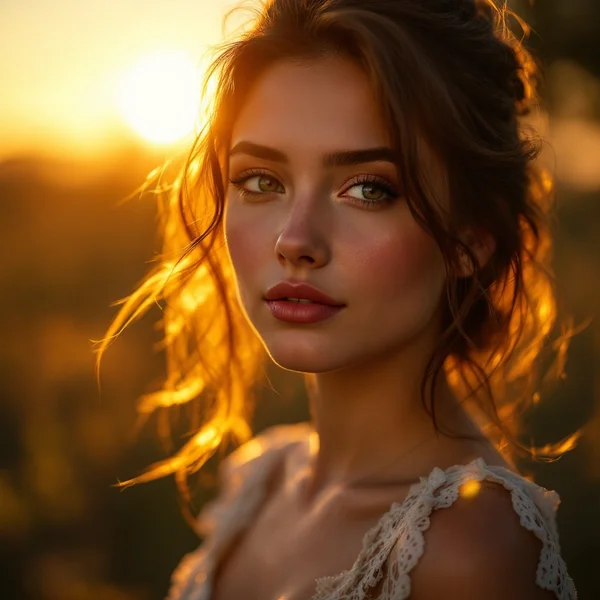
Generative AI refers to neural networks that do not just recognize or sort information — they create new content: images, video, voice, music, text. You type “a cat in a hat riding a bicycle” and seconds later you have a picture that never existed before.
To many people this looks like magic, and magic tends to either scare or disappoint: “why did I get the wrong thing?”, “why was it better yesterday?”, “why are their results better than mine?”. In reality the principle is quite understandable, and once you know it, generation becomes a tool you can steer. In this guide we at WebTerra AI explain, without formulas, how generative AI works, what models and prompts are, and why results differ every time.
Generative AI in plain words
Imagine someone who has looked at an enormous number of paintings and photos with captions. They do not remember every specific picture, but they have absorbed the patterns: what a sunset looks like, how light falls on a face, how watercolor differs from oil. Ask them to paint “a lighthouse at sunset in watercolor” and they will paint a new picture based on those patterns.
A generative model works in a similar way. During training it sees huge amounts of examples and learns to connect words with visual or audio patterns. The result of training is the model: a large set of numbers that “knows” how to turn a description into an image, a video or a sound.
How AI creates a picture: diffusion
Many modern image and video models are built on the idea of diffusion. Here it is in simple terms.
- Learning from noise. Take a real picture and add noise to it step by step until all that is left is static, like an old TV with no signal. The model learns the reverse: look at a noisy image and guess how to remove a little of the noise.
- Generating from noise. When you run a generation, the model starts from random noise and “cleans” it step by step.
- The prompt as a compass. At every step the model checks against your description: “there should be a lighthouse here, an orange sky there”. The noise gradually turns into an image that matches the text.
That is why we say AI does not “search” for a picture online or glue together pieces of other people’s photos. It generates a new image out of noise, guided by your description.
What about video and voice?
Video
Video is a sequence of frames that must stay consistent with each other: objects should not vanish, and motion has to look physically plausible. Video models generate the whole sequence together, which makes it far harder and more expensive than a single image. Google’s Veo 3.1, for example, generates clips up to 4K with synchronized audio — and every second costs credits. More in our Veo 3.1 review.
Voice
Speech synthesis models are trained on recordings of human speech and learn to convey not just words but intonation, pauses and emotion. ElevenLabs v3 delivers intonation and emotion close to real speech. See our ElevenLabs v3 review.
What a prompt is and why it matters so much
A prompt is the text description of what you want. It is the only way to explain your idea to the model, so prompt quality directly shapes the result.
Compare:
- “lighthouse” — the model decides the style, angle, time of day and colors on its own;
- “old stone lighthouse on a cliff at dusk, stormy sea, soft orange light, cinematic photo, wide shot” — you control every important parameter.
A good prompt covers the subject, action or state, setting, style, lighting and angle. For video, add camera movement and sound.
Why results differ every time
This is the most common question. There are several reasons:
- A random start. Generation begins from random noise. Different noise means a different picture, even with the same prompt. It is not a bug but a feature: that is how you get variations.
- Gaps in the prompt. Whatever you leave out, the model decides by itself — differently each time.
- Different models, different “experience”. Each was trained on its own data in its own way. The same prompt in FLUX.2 Pro and in another model will give noticeably different results.
- Settings. Aspect ratio, resolution and video length also affect composition.
The practical takeaway: if you do not like a result, refine the prompt first, then make a few more variations, and only then try another model.
How models differ
| Type | What it does | Example in WebTerra AI |
|---|---|---|
| Text to image | Creates a picture from a description | FLUX.2 Pro, from 4 credits |
| Image editing | Changes your photo from a description | Nano Banana Pro, from 24 credits |
| Text or photo to video | Creates a clip with sound | Veo 3.1, from 259 credits |
| Text to speech | Voices text with a natural voice | ElevenLabs v3, from 2 credits |
FLUX.2 Pro creates photorealistic images and artistic styles and edits uploaded photos — more in our FLUX.2 Pro review. Nano Banana Pro works from your image: it preserves faces, handles complex edits and outputs up to 4K.
What generative AI cannot do
- Guarantee facts. A model draws what is plausible, not what is true. A diagram or caption can contain errors.
- Render text perfectly. Some models handle it better than others, but always check the letters.
- Read minds. What is not in the prompt, the model does not know.
- Take responsibility. How you use the result is on you.
Ready-to-use prompts for a first try
Run each one twice and compare the variations.
Image (FLUX.2 Pro):
Old stone lighthouse on a rocky cliff at dusk, stormy sea, soft orange light, cinematic photo, wide shot
The same subject in a different style:
Old stone lighthouse on a rocky cliff at dusk, watercolor illustration, soft bleeding edges, visible paper texture
Photo edit (Nano Banana Pro):
Keep the person and composition from the reference, change the season to winter with light snowfall, keep the face unchanged
Video (Veo 3.1):
Slow aerial shot circling an old lighthouse at sunset, waves crashing on rocks, seagulls, sound of wind and surf
Common beginner mistakes
- Writing a one- or two-word prompt and expecting a perfect match.
- Judging a model after a single generation.
- Changing everything at once instead of one parameter.
- Believing the AI found the picture somewhere online.
- Not checking text and small details.
FAQ
Does generative AI copy other people’s work?
A model generates a new image from noise based on patterns it has learned. But if you explicitly ask it to reproduce a famous artwork or character, the result may infringe someone’s rights — so do not do that.
Why is one model more expensive than another?
Generation takes computing power: video and large models need much more of it than fast draft models. Prices are on every model card; plans are on the pricing page.
How do I get consistent results?
A detailed prompt, the same settings, a reference image where the model accepts one, and a few variations to choose from.
Try it in WebTerra AI
The best way to understand generative AI is to try it. Generate one scene in two styles in image generation, then bring it to life in video generation. You get 60 credits at sign-up — start in your WebTerra AI dashboard.
Try AI models yourself
Models for video, images and audio in one place — a free trial balance when you sign up
Start for free