Hunyuan Image 3 Review: Open Model for Complex, Detailed Scenes
Hunyuan Image 3 from Tencent is an open 80B-parameter image model built for complex multi-object scenes and illustration. Features, pricing, prompt examples and how it compares.
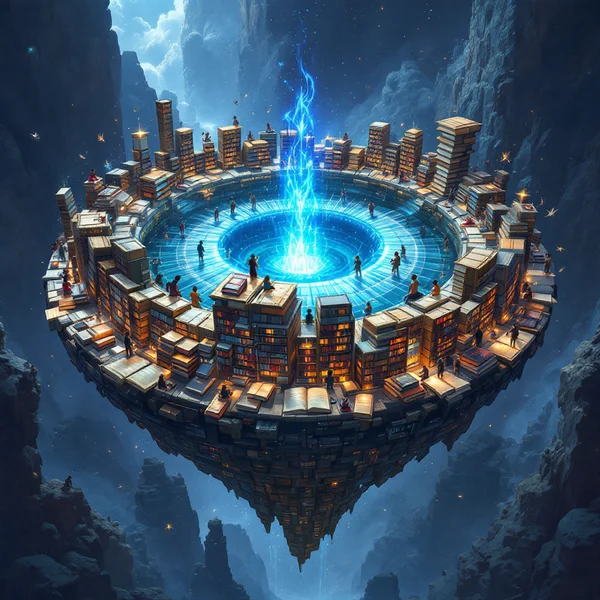
Hunyuan Image 3 is Tencent's text-to-image model. According to its model card it is the largest open image model, with 80 billion parameters. Its strength is complex scenes with many objects and illustration work, where every element of the prompt needs to land in the right place. In this Hunyuan Image 3 review we cover how to use the model online in WebTerra AI, what one generation costs, how to write prompts for it and when another model is the better pick.
Most image generators handle a single main subject well but struggle once the prompt lists five or six characters, props and background details. Some elements vanish, others merge, and colours bleed from one object to the next. Hunyuan Image 3 is positioned specifically for these busy scenes: a market square full of vendors, a kitchen table covered in a dozen items, a fantasy battle with several heroes.
Tencent develops the Hunyuan family as a set of open models for text, images and video. In WebTerra AI, Hunyuan Image 3 sits in the image generation section alongside FLUX, Seedream, Ideogram and others, so it is easy to compare against alternatives on the same prompt.
What Hunyuan Image 3 can do
The model works in text-to-image mode: you describe a scene and it produces a picture. By default it generates one JPEG image per run, with the content safety checker switched on.
- Multi-object scenes. Several characters, props and environmental details in one frame.
- Illustration. Book art, concept art, scenes for games and presentations.
- Detail. Rich textures, small elements and a thought-through environment.
- A wide range of genres. From product shots and food photography to interiors, architecture and fantasy.
The dashboard presets map out typical jobs: a cinematic portrait with film-style lighting, a product shot for a marketplace or website, a landscape in a cinematic style, food photography for a menu or Instagram, a social media creative, a designer interior, a fashion editorial, a lifestyle photo, architecture and exteriors for a project or pitch, and fantasy and concept art for a game or book. The model shows its advantages most clearly in the last few categories, where scenes are complex and dense.
Specifications
| Parameter | Value |
|---|---|
| Developer | Tencent |
| Model size | 80B parameters, open model |
| Type | Image generation |
| Input mode | Text-to-image |
| Default output | JPEG, 1 image per generation |
| Size used for pricing | 1024 × 1024 |
| Price per generation | 15–17 credits (about $0.17–0.22) |
How to use Hunyuan Image 3 in WebTerra AI
- Sign up for WebTerra AI and get 60 free credits.
- Open the image generator in your dashboard and select Hunyuan Image 3.
- Write a prompt or start from a preset such as Fantasy and concept art or Interior, then add your own details.
- Run the generation. The model returns one JPEG image.
- Check that every element of the scene is there. If something is missing, refine the prompt: describe that element in its own sentence and say where it sits in the frame.
- Download the result you like, or take it further by upscaling it or refining it in the AI editor.
Hunyuan Image 3 pricing
Prices are for one generation at default settings (1024 × 1024). Higher plans charge fewer credits, and each credit costs less.
| Plan | Credits per image | Cost in USD |
|---|---|---|
| Starter | 17 | about $0.22 |
| Pro | 16 | about $0.19 |
| Ultra | 15 | about $0.17 |
The 60 free credits on sign-up cover three images on the Starter plan, enough to test the model on your most demanding scene and compare it with another generator. See the WebTerra AI pricing page for plan details.
Hunyuan Image 3 costs more than the most basic image models, so it makes sense to save it for jobs where it actually pulls ahead: scenes with lots of elements, illustration and concept art. For a simple product on a plain background, a cheaper model will do.
Prompt examples
Here are six prompts for different tasks, each designed to play to the model's strengths.
1. A busy street scene. A good stress test for many objects.
A busy morning flower market in an old European square, a florist in a green apron arranging tulips, a cyclist with a basket of bread, two children feeding pigeons, striped awnings, cobblestones, soft golden light
2. Fantasy concept art. An epic scene for a game or a book cover.
Epic fantasy concept art, a stone bridge over a misty canyon, a knight in silver armor facing a red dragon, a wizard casting blue light behind him, ruined towers in the distance, dramatic clouds, highly detailed
3. Interior. A designed space with several pieces of furniture.
Scandinavian living room interior, light oak floor, a grey linen sofa with mustard pillows, a round coffee table with books and a ceramic vase, a large monstera plant by the window, soft daylight, architectural photography
4. Food photography. A table with several dishes.
Top-down food photography of a family dinner table, roasted chicken in the center, a bowl of salad, sliced bread on a wooden board, two glasses of red wine, linen napkins, warm natural light
5. Children's book illustration. A storybook scene with characters.
Children's book illustration, a fox, a bear and an owl having a picnic under a big oak tree, a checkered blanket with berries and tea cups, watercolor style, gentle pastel colors
6. Architecture. A visualisation for a project pitch.
Modern two-story house with large glass windows and wooden facade, surrounded by pine trees, a car parked by the entrance, warm interior lights at dusk, architectural visualization
Tips for prompting Hunyuan Image 3
List objects explicitly
The model's strength is complex scenes, so lean into it: name each important element separately, with its colour and action. "A cyclist with a basket of bread" beats "people in the square".
Set the layout
Phrases like "in the foreground", "on the left", "behind him" and "in the distance" help the model place objects across the frame and avoid clutter.
Bind attributes to specific objects
Write "a knight in silver armor facing a red dragon", not "silver, red, knight, dragon". That keeps colours and details from swapping between characters.
Put style and lighting at the end
Describe the content of the scene first, then the style (watercolor, concept art, architectural photography) and the lighting. That structure is clearer for the model and easier for you to edit later.
Do not overload without reason
A detailed prompt is good; contradictory requirements are not. If a scene will not come together, strip out secondary details and add them back gradually.
Build the scene in layers
For complex compositions, start with a skeleton: the setting, two or three main subjects and the light. Once the base composition works, add secondary details one or two at a time. That makes it obvious which phrase breaks the scene and saves credits compared with a dozen random attempts.
Keep a checklist
Before you generate, jot down what must appear: characters, key props, colours, mood. After the run, tick through the list. For commercial illustration, where a client expects specific elements, this habit saves rounds of revisions.
Use cases
- Illustrators and authors. Multi-character scenes for children's books, covers and spreads.
- Game designers. Concept art for locations, battle scenes and characters.
- Interior designers and architects. Quick visualisations of furnished spaces.
- Social media and content marketers. Dense creatives that tell a whole story in one frame.
- Restaurants and food bloggers. Set tables with several dishes.
- Teachers and course creators. Illustrations for lessons and slide decks.
The common thread is narrative density. If your image needs to show several things happening at once, such as a family at a table, a crowded scene in a game world or a room where every object matters, Hunyuan Image 3 is worth the slightly higher price. If the job is one subject against a clean background, save credits and use a lighter model.
Hunyuan Image 3 compared with other models
| Model | Strength | When to choose it |
|---|---|---|
| Hunyuan Image 3 | Complex scenes, illustration | Many objects and details in one frame |
| FLUX.2 Pro | Photorealism, portraits | Realistic photos of people and products |
| Nano Banana 2 | 4K, text in images | You need legible text and high resolution |
| Ideogram V3 | Posters and flyers | Typography, banners, event posters |
| Seedream 4.0 | Anime, illustrations | Anime looks and stylised characters |
If a photorealistic portrait or product is the priority, try FLUX.2 Pro first. When the image needs text, such as a headline, a label or a slogan, look at Nano Banana 2 or Ideogram V3. For anime and stylised characters there is Seedream 4.0. Choose Hunyuan Image 3 when the scene is complex: lots of characters, props and interactions that need to be rendered coherently.
Limitations and what to keep in mind
- Text-only input. The model generates images from a description. To edit an existing photo, use the models in the editor section.
- Safety checker on. Requests that break content rules will be rejected.
- Pricier than basic models. For simple tasks, cheaper generators are better value.
- Text in images. The model is not positioned as a typography specialist, so for lettering Ideogram V3 or Nano Banana 2 are better choices.
- Pricing is for 1024 × 1024. Other sizes may cost differently, so check in the dashboard.
FAQ
How much does one Hunyuan Image 3 image cost?
15 to 17 credits depending on your plan, roughly $0.17–0.22.
What does 80B mean?
It is the parameter count: 80 billion. According to the model card, that makes it the largest open image model.
Can I upload my own photo to edit?
Hunyuan Image 3 works in text-to-image mode. For editing existing photos, use the AI editor models such as Seedream 4.5 Edit.
Which language should I prompt in?
English gives the most accurate understanding of the scene.
What is Hunyuan Image 3 best at?
Complex scenes with many objects, illustration, concept art and richly furnished interiors.
Is it worth using for a simple product photo?
You can, but you do not have to. For a single item on a clean background, cheaper models give comparable results; Hunyuan Image 3's advantages show in detail-heavy scenes.
Hunyuan Image 3 is a strong option when ordinary generators lose track of a complex scene. Claim your 60 free credits on sign-up and test it on your most ambitious prompt in the WebTerra AI dashboard.
Try AI models yourself
Models for video, images and audio in one place — 60 credits free when you sign up
Start for free