HappyHorse 1.1 Review: Alibaba’s AI Video Model, Up to 15 s
Alibaba’s HappyHorse 1.1 creates 3–15 second clips with smooth camera motion and consistent characters. We cover features, pricing, prompt examples, tips and how it compares.
HappyHorse 1.1 is a video model from Alibaba that generates clips from 3 to 15 seconds long, from text or from a photo. According to the model card, its strengths are smooth camera motion and consistent characters: the hero doesn’t drift or change appearance mid-shot. In this HappyHorse 1.1 review we cover what the model can do, how to use it online in WebTerra AI, what a clip costs and which models to compare it with.
Fifteen seconds is longer than many video models offer in a single run. It is enough for a complete scene: a camera fly-over of a landscape, a product shown from several sides, a short episode with a character. And because duration is set in one-second steps, you never pay for footage you don’t need.
The model is useful for social media managers, marketers, Reels creators, marketplace sellers and anyone who wants atmospheric video without a shoot.
What HappyHorse 1.1 can do
The model supports two generation modes:
- Text-to-video. A clip from a text description of the scene.
- Image-to-video. Animating an uploaded image: a product photo, a portrait, a landscape or a generated picture.
Key features:
- 3 to 15 seconds in one-second steps — from a short loop to a full scene.
- Two resolutions: 720p and 1080p.
- Nine aspect ratios: 16:9, 9:16, 1:1, 4:3, 3:4, 21:9, 9:21, 5:4 and 4:5 — from wide cinematic framing to vertical formats for stories and feeds.
- Smooth camera motion. Fly-overs, push-ins and pans without jerks.
- Consistent characters. The hero’s look holds throughout the clip.
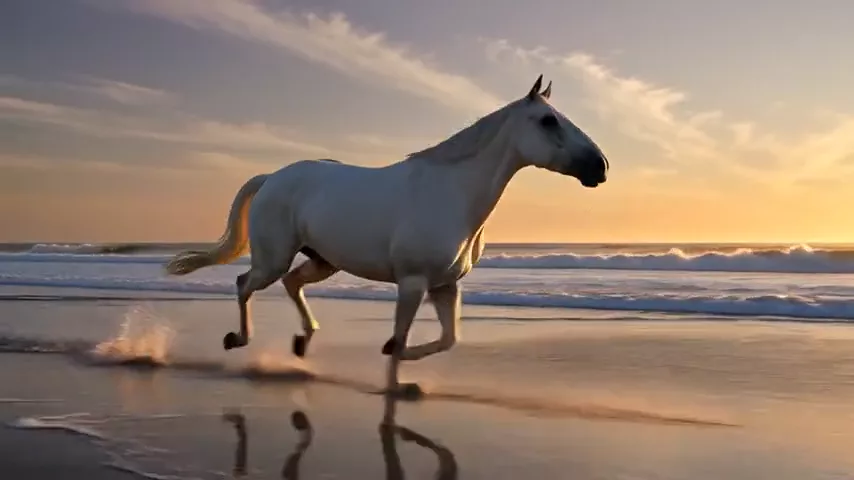
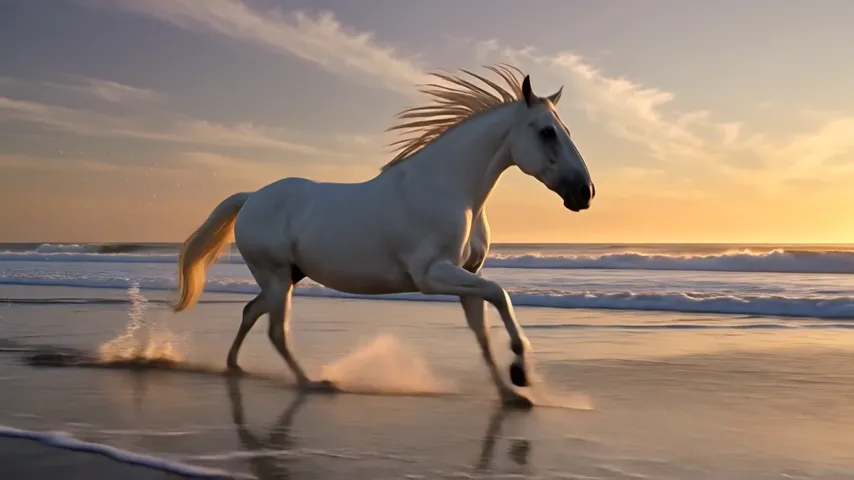
The model’s demo clip — a white horse galloping through the shallows on a beach at golden hour, in slow motion — shows its strengths well: fluid movement, splashes, a flowing mane and soft warm light.
The dashboard offers ready-made scenarios: cinematic shot, product video, nature and time-lapse, animate a photo, multi-shot scene, vertical social video, first-person vlog, food close-up, fantasy scene and sports slow motion.
HappyHorse 1.1 specifications
| Parameter | Value |
|---|---|
| Developer | Alibaba |
| Model type | Video generation |
| Input modes | Text, image-to-video |
| Duration | 3 to 15 seconds, 1-second steps |
| Resolution | 720p, 1080p |
| Aspect ratios | 16:9, 9:16, 1:1, 4:3, 3:4, 21:9, 9:21, 5:4, 4:5 |
| Defaults | 5 s, 720p, 16:9 |
| Price of a 3 s 720p clip | 61–68 credits (about $0.71–0.87) |
How to use HappyHorse 1.1 in WebTerra AI
- Sign up for WebTerra AI and top up your credits if the welcome bonus isn’t enough.
- Open the video generator in your dashboard and choose HappyHorse 1.1.
- Pick a mode: describe the scene in text or upload an image to animate.
- Set the duration (3–15 s), resolution (720p or 1080p) and aspect ratio for your target platform.
- Write a prompt or start from a ready-made scenario.
- Run the generation, review the result and download the clip.
How to save credits while testing
The price depends on duration and resolution. So it makes sense to perfect your prompt on a short 720p clip first; once the motion, lighting and composition look right, render the final version at full length or in 1080p. The same goes for image-to-video: check how the model animates your photo over 3–5 seconds before generating a long scene.
Other video models are on the AI video generation page.
HappyHorse 1.1 pricing
Cost of a 3-second 720p clip on each plan:
| Plan | Credits | Price in USD |
|---|---|---|
| Starter | 68 | about $0.87 |
| Pro | 64 | about $0.77 |
| Ultra | 61 | about $0.71 |
Pricing is per second: the base rate is about 23.7 credits per second at 720p and about 30.3 credits per second at 1080p, with a plan discount on top. Longer clips and higher resolution cost proportionally more.
For reference, at the base rate before any plan discount: a 5-second 720p clip (the default settings) is about 118 credits, 10 seconds at 720p about 237, and the maximum 15 seconds at 1080p about 455 credits. Your plan discount lowers the final amount — the most on Ultra.
An honest note about the welcome bonus: the 60 free credits you get on sign-up are not enough for even the shortest HappyHorse 1.1 clip. They are best spent getting to know cheaper models — for example, generating a starting frame for image-to-video — while the video itself needs a credit pack. Details are on the pricing page.
HappyHorse 1.1 prompt examples
Write prompts in English and describe camera movement, lighting and pace.
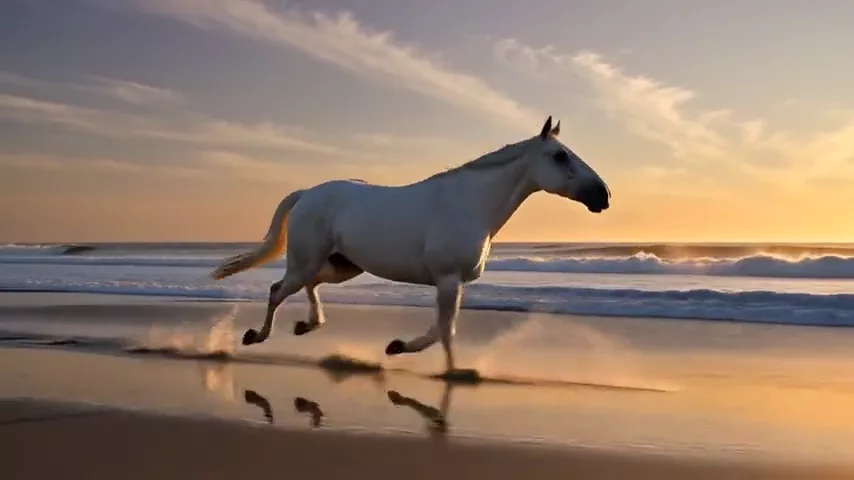
The model’s demo prompt
Smooth slow-motion shot of a white horse galloping through shallow water on a beach at golden hour, splashes, mane flowing, no text, no captions, no watermark
The prompt behind the demo clip: slow motion, splashes, warm light.
Cinematic shot
Slow aerial drone shot gliding over misty pine forest at sunrise, soft golden light breaking through the fog, calm and majestic, cinematic color grading, no text.
An atmospheric fly-over for an intro or background.
Product video
A sleek white wireless headphone slowly rotating on a glossy black pedestal, soft studio rim light, subtle reflections, smooth orbiting camera, premium commercial look, no text.
An ad clip for a marketplace or social media.
Vertical Reels clip
Vertical 9:16 shot: a young woman in a yellow raincoat laughs and spins under neon city lights in the rain, handheld camera following her, energetic and playful, no text.
Dynamic vertical video — set the format to 9:16.
Food close-up
Extreme close-up of warm chocolate sauce being poured over a stack of fluffy pancakes, slow motion, steam rising, soft morning light, shallow depth of field, no text.
A mouth-watering clip for a menu or stories.
Animate a photo (image-to-video)
The woman in the photo slowly turns her head toward the camera and smiles, her hair moves gently in the wind, the camera pushes in slightly, natural light.
In photo mode, describe only the motion — the model takes the appearance from the image.
Tips for HappyHorse 1.1 prompts
Spell out the camera movement
Smooth motion is the model’s strength, so use it: “slow push-in”, “orbiting camera”, “aerial drone shot”, “tracking shot following the character”. Without direction, the camera may stay static or move arbitrarily.
Match the action to the duration
Three seconds fit one action. Fifteen seconds fit several consecutive events or a slow fly-over. Don’t overload a short clip, and don’t leave a long one without development.
One main character means more stable results
The model holds characters well, but the fewer people in the frame, the more reliable it gets. Describe appearance briefly and concretely: clothing, hair color, age.
Add “no text, no watermark”
The model’s own demo prompt ends that way. It helps avoid random captions and logos in the frame.
Multi-shot scenes
The dashboard has a “Multi-shot scene” scenario designed for long clips. For 10–15 seconds, describe events in order using “first”, “then”, “finally”: a wide shot, then a move toward the hero, and finally a detail. Keep one location and one lighting setup so transitions look natural, and don’t try to fit more than three stages — each one needs time to breathe.
Pick the format for the platform
16:9 for YouTube and websites, 9:16 and 9:21 for Reels and stories, 1:1 and 4:5 for feeds, 21:9 for cinematic intros. The right format up front saves time on cropping.
Who HappyHorse 1.1 is for
- Social media and Reels creators. Vertical clips up to 15 seconds in the right format.
- Marketplaces and e-commerce. Product videos: rotations, close-ups, lifestyle scenes.
- Advertising. Atmospheric shots for promos, teasers and animated banners.
- Restaurants and food bloggers. Food close-ups and slow motion.
- Travel and real estate. Fly-overs and atmospheric location shots.
- Creators. Fantasy, sci-fi and cinematic sketches.
HappyHorse 1.1 vs. other video models
| Model | Feature | Choose it when |
|---|---|---|
| HappyHorse 1.1 | Up to 15 s, smooth | A longer scene with smooth camera, 9 formats |
| Kling 2.5 Turbo Pro | Up to 10 s, realistic | Realistic motion in a shorter clip |
| Wan 2.7 | Open source, affordable | Tight budget |
| Veo 3.1 | 4K, with sound | You need high resolution and sound out of the box |
| Seedance 2.0 | Audio + multi-scene | Several scenes and sound in one clip |
Kling 2.5 Turbo Pro focuses on realistic clips up to 10 seconds. If your scene fits that length, compare both. HappyHorse wins when you need a longer scene or an unusual format like 9:21 or 5:4.
Wan 2.7 is another Alibaba model, open and affordable. For bulk tests and drafts it may be the more economical choice.
Veo 3.1 and Seedance 2.0 generate video together with sound. The HappyHorse 1.1 card lists no audio generation, so if the clip must come with sound, look at those. Alternatively, add sound to a finished clip with a separate model such as Kling Video to Audio.
Limitations of HappyHorse 1.1
- No sound. The model card lists no audio generation — sound is added separately.
- 15 seconds maximum. Longer videos are assembled from several generations in an editor.
- No first/last frame control. The model doesn’t support setting both start and end frames — only starting from a single image.
- Up to 1080p. For 4K you need another model.
- Welcome credits don’t cover a clip. Even the shortest generation costs more than 60 credits.
HappyHorse 1.1 FAQ
What is the maximum clip length?
Up to 15 seconds. The minimum is 3 seconds, and duration is set in one-second steps.
How much does a clip cost?
A 3-second 720p clip costs 68 credits on Starter (about $0.87), 64 on Pro (about $0.77) and 61 on Ultra (about $0.71). Longer clips and 1080p cost more.
Can it animate a photo?
Yes, the model supports image-to-video: upload an image and describe the motion.
Does HappyHorse 1.1 generate sound?
No, the model card lists no audio generation. You can add sound with a separate video-to-audio model.
Should I choose 720p or 1080p?
Use 720p for drafts, prompt tests and most social media clips viewed on phones. Switch to 1080p for the final version when the video goes on a website, a large screen or into an ad where detail matters — it costs almost 30% more per second.
Which formats are supported?
Nine aspect ratios — 16:9, 9:16, 1:1, 4:3, 3:4, 21:9, 9:21, 5:4 and 4:5 — at 720p or 1080p.
HappyHorse 1.1 is a strong choice when you need a longer scene with a smooth camera and a consistent hero in any format, from wide cinematic to vertical. Try HappyHorse 1.1 in WebTerra AI and test it on your own scenario.
Try AI models yourself
Models for video, images and audio in one place — 60 credits free when you sign up
Start for free