Grok Imagine Video Review: Fast, Affordable AI Video by xAI
Grok Imagine Video from xAI generates clips up to 15 seconds in 720p from text or a photo, fast and at a fair price. We cover modes, pricing, prompts, tips and how it compares with Kling and Veo.
Grok Imagine Video is a video model from xAI, the company behind the Grok assistant. It quickly generates clips up to 15 seconds long at up to 720p, either from a text description or from your own image. In this Grok Imagine Video review we cover the available settings, what an online generation costs, how to write prompts for short stories and when another model is the better pick.
Grok Imagine Video’s sweet spot is short, punchy social content: memes, micro-stories, Reels, teasers and animated photos. It does not aim for 4K or film production. Instead, it offers flexible length, seven aspect ratios and an accessible price, which makes it handy for everyday content.
It is a good fit for social media managers, creators, marketers, small brands and anyone who wants to turn an idea into a clip quickly without spending a premium model’s budget.
What Grok Imagine Video can do
- Text-to-video. Describe a scene and the model generates a clip.
- Image-to-video. Upload an image and the model brings it to life with camera movement, character motion or atmospheric effects.
- Length from 3 to 15 seconds. You choose in one-second steps, so you can match the length to your edit exactly and not pay for extra footage.
- Two resolutions. 480p for drafts and tests, 720p for publishing.
- Seven aspect ratios. 16:9, 9:16, 1:1, 4:3, 3:4, 3:2 and 2:3, covering everything from horizontal YouTube to vertical Reels and square posts.
- Fast generation. The model is built for quick turnaround, which helps when you are exploring ideas.
The dashboard defaults are 6 seconds, 16:9 and 720p, a balanced starting point.
Grok Imagine Video specs
| Parameter | Value |
|---|---|
| Developer | xAI |
| Type | Video generation |
| Input modes | Text, image-to-video |
| Length | 3–15 seconds (1 s steps) |
| Resolution | 480p, 720p |
| Aspect ratios | 16:9, 9:16, 1:1, 4:3, 3:4, 3:2, 2:3 |
| Defaults | 6 s, 16:9, 720p |
| Base cost per second | 480p: 8.33 credits, 720p: 11.66 credits |
| Price of a 3-second 720p clip | from 30 credits (about $0.35) |
How to use Grok Imagine Video in WebTerra AI
- Sign up for WebTerra AI. New users get 60 free credits.
- Open the video generator in your dashboard and choose Grok Imagine Video.
- Pick a mode: text-to-video or image-to-video (then upload your image).
- Write a prompt or choose a preset such as cinematic shot, product video or vertical social video.
- Set the length (3–15 s), resolution (480p or 720p) and aspect ratio.
- Check the cost shown in the dashboard before launch and start the generation.
- Watch the clip and download it.
Other video models are collected on the AI video generation page.
Grok Imagine Video pricing
The price depends on length and resolution. The model card shows the price of a 3-second 720p clip:
| Plan | Credits for 3 s (720p) | Price in USD |
|---|---|---|
| Starter | 34 | about $0.44 |
| Pro | 32 | about $0.39 |
| Ultra | 30 | about $0.35 |
Estimated base cost by length
This table shows the base number of credits before the plan discount, calculated from the per-second rate. On Pro and Ultra the final amount will be slightly lower.
| Length | 480p | 720p |
|---|---|---|
| 3 s | ≈ 25 | ≈ 35 |
| 5 s | ≈ 42 | ≈ 58 |
| 6 s | ≈ 50 | ≈ 70 |
| 10 s | ≈ 83 | ≈ 117 |
| 15 s | ≈ 125 | ≈ 175 |
The 60 free credits you get at sign-up cover one short 720p clip or two 3-second tests at 480p. Plans for regular use are on the pricing page.
A budget-friendly strategy: find the idea and the motion at 480p with 3–4 second clips, then generate the final at 720p in the length you need.
Grok Imagine Video prompt examples
Write prompts in English. Describe not just the scene but the motion, since that is what makes a video a video.
Street video (the model’s demo)
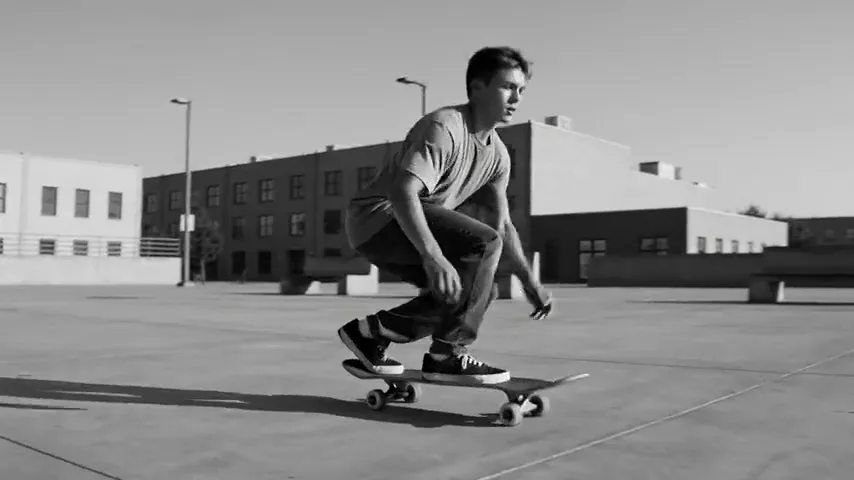
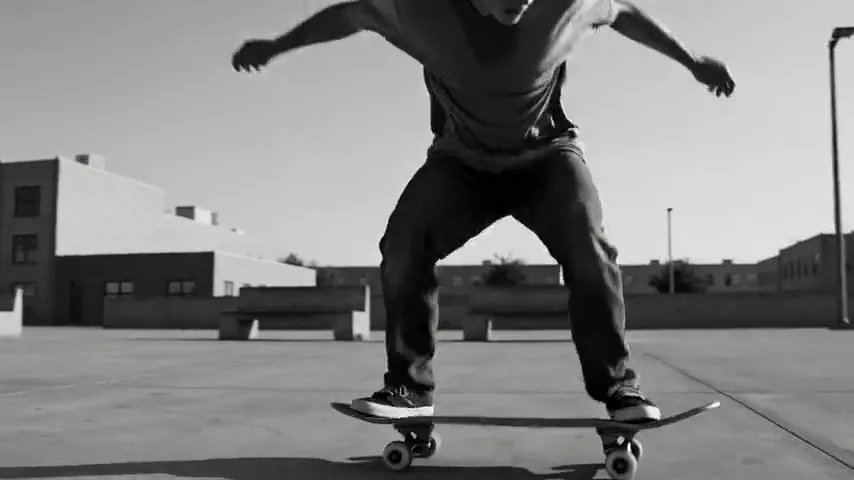
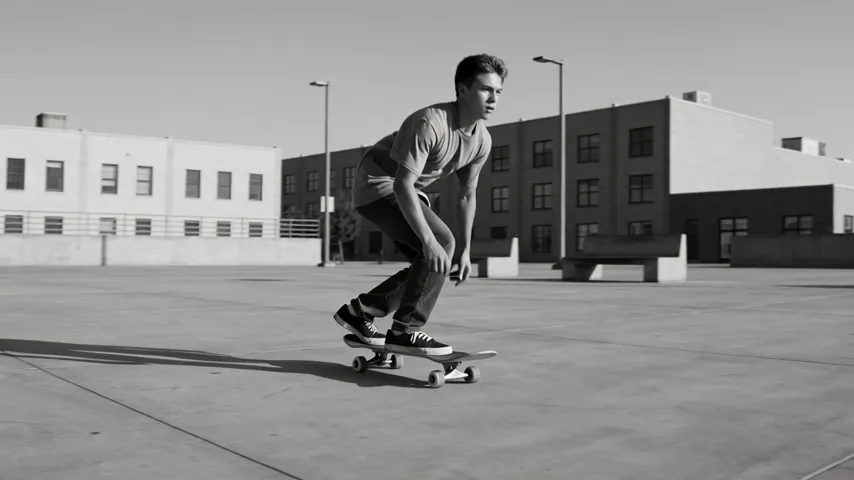
Handheld street video of a skateboarder doing a kickflip in a concrete plaza, high-contrast black and white, motion blur, urban energy, no text, no captions, no watermark
A dynamic black-and-white handheld shot; this is the exact prompt used for the model’s demo clip.
Vertical Reel
Vertical video, young woman laughing and spinning in a sunflower field, golden hour, camera circling around her, joyful summer vibe, no text
A short, punchy 9:16 clip for social media.
Product video
Slow 360-degree orbit around a sleek white sneaker on a floating pedestal, soft studio lighting, subtle reflections, clean minimal background, no text
An ad clip for a marketplace or social media.
First-person vlog
POV shot walking through a busy night market, handheld phone camera, neon signs, steam from food stalls, people passing by, authentic vlog feel
A shot that looks filmed on a phone.
Food close-up
Close-up of melted cheese stretching as a slice of pizza is lifted, steam rising, warm kitchen light, slow motion, appetizing detail
A mouth-watering clip for a menu or Reels.
Fantasy scene
Wide shot of a giant whale swimming slowly through clouds above a futuristic city at sunset, camera tracking alongside, epic sci-fi atmosphere
Fantasy or sci-fi for a teaser or a meme story.
Tips for writing Grok Imagine Video prompts
Describe motion explicitly
Say what moves and how: “camera slowly pushes in”, “character turns around”, “leaves blowing in the wind”. Without that, the model may produce an almost static scene.
One action per clip
In 3–15 seconds, one clear action works better than a three-beat plot. Build complex stories from several short clips in your edit.
Match the format to the platform
9:16 for Reels, Stories and Shorts; 1:1 and 3:4 for the feed; 16:9 for YouTube and websites. Set the format from the start rather than cropping later, so the composition is right.
Add “no text, no watermark”
Just like the model’s demo prompt: this helps avoid random lettering in the frame.
For photo animation, describe only the motion
In image-to-video mode, the scene is already defined by the image. Your prompt only needs to describe what changes: camera movement, gestures, wind, light.
Test at 480p
Drafts at the lower resolution are cheaper and usually good enough to judge motion and composition.
Photo animation: preparing your image
Image-to-video mode gives you more control over the look of the shot: the composition, the character and the colors are set by the image itself. For predictable results, keep a few things in mind.
- Aspect ratio. Pick a video format close to the photo’s proportions so the composition does not suffer.
- A clear main subject. The model animates scenes better when it is obvious what matters: a person, an object, a landscape.
- Room to move. If you want a camera move or character motion, leave some space around the subject.
- A quality source. A sharp image without heavy compression produces cleaner footage.
You can generate the image to animate with any image model in the same dashboard and then pass it to Grok Imagine Video.
Workflow: a series of social clips
Short Grok Imagine Video clips work well as a series. Here is an example for a cafe brand’s weekly content plan.
- Ideas. List 5–7 scenes: morning coffee, latte art, a croissant close-up, a cozy interior, a smiling barista.
- Format. For Reels, pick 9:16 and keep it consistent across the series.
- Drafts. Generate each scene at 480p for 3–4 seconds to check motion and composition.
- Finals. Regenerate the best scenes at 720p in the length you need, say 5–8 seconds.
- Edit. Add music, subtitles and a logo in a video editor. You can also join several clips into one longer video.
If you have photos of your own dishes or interior, use image-to-video so the clips show your actual product rather than a generic picture.
Who Grok Imagine Video is for
- Social media managers and creators. Reels, Stories, Shorts, meme videos.
- Marketing. Short ad clips and product teasers.
- Small businesses. Videos for cafes, shops and services, no shoot required.
- Real estate. The “Interior walkthrough” preset for short video tours.
- Artists. Animating your own photos and artwork.
- Sports and fitness. Dynamic moments in slow motion.
Grok Imagine Video vs other models
| Model | Focus | When to choose it |
|---|---|---|
| Grok Imagine Video | Fast and affordable, up to 15 s, 720p | Short social clips, memes, tests |
| Kling 2.5 Turbo Pro | Up to 10 s, realistic | When realistic motion matters more |
| Hailuo 02 | Fast photo-to-video | An alternative for photo animation |
| Veo 3.1 | 4K, with sound | Premium quality with sound built in |
| Seedance 2.0 | Audio + multi-scene | When you need several scenes and sound |
The honest takeaway: Grok Imagine Video stands out for flexible length up to 15 seconds, plenty of formats and a moderate price. If you need more realistic motion, compare it with Kling 2.5 Turbo Pro. For photo animation, try Hailuo 02 as an alternative. When you need high resolution and sound, Veo 3.1 is the logical choice, and for multi-scene clips with audio, go with Seedance 2.0.
Grok Imagine Video limitations
- 720p maximum. For big screens and premium ads, models with higher resolution are a better fit.
- Up to 15 seconds. Longer videos are assembled from several clips.
- No first and last frame control. You cannot set an end frame separately, only a starting image in image-to-video mode.
- Sound is not listed on the model card. Plan to add music and voiceover in your edit.
- Price scales with length. 15 seconds at 720p costs five times as much as 3 seconds.
Grok Imagine Video FAQ
What is the maximum clip length?
15 seconds. The minimum is 3 seconds, adjustable in one-second steps.
How much does Grok Imagine Video cost?
A 3-second 720p clip costs from 30 credits (about $0.35) on Ultra to 34 credits (about $0.44) on Starter. Longer clips cost proportionally more.
Can it animate a photo?
Yes, the model supports image-to-video.
Which formats are available?
16:9, 9:16, 1:1, 4:3, 3:4, 3:2 and 2:3.
Which resolution should I choose?
480p for drafts and tests, 720p for publishing.
Can I make a video longer than 15 seconds?
Not in a single generation. Generate several clips in the same format and style, then join them in a video editor. Keeping the same aspect ratio and a consistent style description across prompts helps the cuts feel seamless.
Are the free credits enough?
60 credits cover one short 3-second 720p clip or two 3-second tests at 480p.
Grok Imagine Video is a handy tool for quick short videos: flexible length, seven formats and an accessible price. Open Grok Imagine Video in your WebTerra AI dashboard and make your first clip today.
Try AI models yourself
Models for video, images and audio in one place — 60 credits free when you sign up
Start for free