AI for Designers: Fitting Neural Networks into Your Workflow
How designers can fit neural networks into daily work: moodboards, concepts, icons, upscaling and edits — with models, prompts and an honest look at where AI falls short.
AI for designers is not about pressing a button and receiving a finished brand identity. It is about taking routine out of your day: hunting for references, first sketches, dozens of variations for a review call, preparing images for print. The time you win back goes into what a model cannot do — thinking, composition and talking to the client.
Plenty of designers tried generation once or twice, got “something pretty but not right” and closed the tab. The problem is usually not the models. It is that AI was used as a final tool rather than an intermediate step. In this guide we at WebTerra AI show where in a project neural networks genuinely speed things up, which models in your dashboard fit which job, and where you are better off not relying on AI at all.
Where AI fits into a design workflow
A typical project moves through several stages. Here is where generation helps most:
| Stage | What AI does | Models |
|---|---|---|
| Research and moodboard | Series of variations in mood, color and texture | FLUX.2 Pro, Luma Uni 1.1 |
| Concepts | Quick visualizations of several directions | FLUX.2 Pro, Recraft V4 |
| Icons and illustrations | Drafts in one consistent style and palette | Recraft V4 |
| Photo edits | Background swaps, object removal, detail changes | Luma Uni 1.1, FLUX.2 Pro, editor |
| Final prep | Upscaling, noise removal | Topaz Upscaler |
Notice there is no row for “logo” or “layout”. More on that below.
Moodboards and concepts: speed instead of searching
Moodboards used to be assembled from other people’s work on inspiration sites, and half the time went into finding “that exact” mood. Now you describe the mood in words and get a series of variations that belong to this project only.
FLUX.2 Pro as your main tool
FLUX.2 Pro by Black Forest Labs produces photorealistic images, portraits and artistic styles. Crucially, it edits uploaded photos from a text prompt and accepts up to four references. For a designer that means you can feed it a color palette, a texture photo and a composition example — and get a variation that combines them. It starts from 4 credits per image. More in our FLUX.2 Pro review.
Luma Uni 1.1 for “smart” requests
Luma Uni 1.1 is a reasoning image model: it tries to grasp your intent, not just the words. That helps when the brief is abstract — “the feeling of quiet in a city interior”, “technological but warm”. It can also edit an uploaded photo from a prompt.
Icons, illustrations and brand palette
Recraft V4 is built for icons, illustrations and branding, with control over your brand palette. Its strength is a consistent designer style: a set of icons looks like a set, not a collection from five different packs.
Practical uses:
- draft icons for interfaces and presentations;
- illustrations for landing pages and social media in brand colors;
- quickly showing a client several illustration directions.
For production UI icons, the output usually needs polishing: even out stroke widths, snap to a grid, convert to vectors in your editor. AI gives you the direction and a base; pixel precision is still your job. Read more in our Recraft V4 review.
Photo edits and print preparation
Quick edits
A client sent a photo with a stray object in the background, the backdrop is off-brand, the banner needs a different season — these are now minutes of work. Remove an object or background in the photo editor, and describe more complex changes in text with FLUX.2 Pro or Luma Uni 1.1.
Upscaling
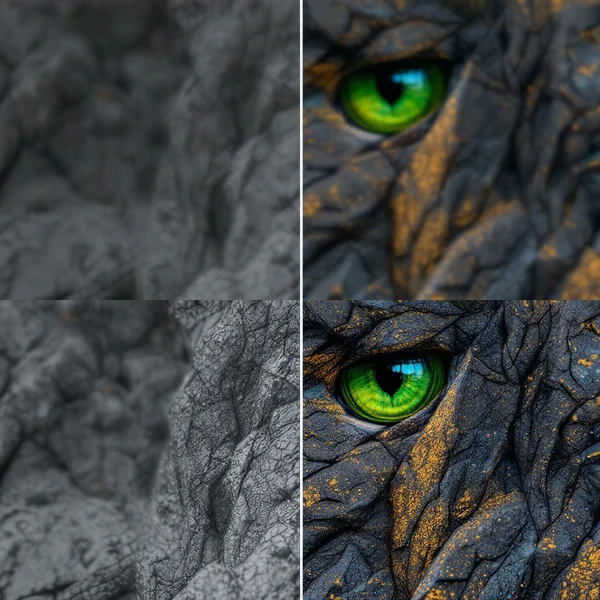
Topaz Upscaler enlarges images to 4K, restores detail, removes noise and keeps things sharp. Typical design scenarios: an old client photo for a banner, a generated concept that suddenly needs printing, a video still for a cover. It starts from 13 credits. Details in our Topaz Upscaler review.
Where AI will not replace a designer
An honest look at the limits, to save you credits and frustration:
- Logos. A logo is an idea, simplicity, scalability and a uniqueness check. A generated mark can accidentally resemble someone else’s, and the rights to it need careful assessment. Use AI to explore directions; the final mark is your work.
- Layout and typography. Grids, hierarchy, precise spacing and long copy belong in a layout tool, not a generative model.
- Design systems. Components, states and rules are logic, not a picture.
- Business understanding. A model does not know the client’s audience, competitors or goals. Turning a brief into a solution is a human job.
- Accountability. You answer to the client for the result, not the model.
Building AI into your day: a routine
- After the brief, spend 20–30 minutes generating a moodboard in several directions.
- Curate: keep the six to nine strongest images and delete the rest.
- Concepts: develop two or three directions using references so they are clearly distinct.
- Client presentation: present them as directions, not finished design.
- Production: do the final work in your usual tools, with AI for backgrounds, illustrations and edits.
- Delivery prep: upscale and check fine details before handing over.
Keep your working prompts in a separate file. Good style phrasing is a tool, just like a set of brushes.
Ready-to-use prompts
Adapt the context to your project.
Mood moodboard (FLUX.2 Pro):
Moodboard image for a specialty coffee brand, warm earthy palette of terracotta, cream and olive, natural textures of clay and linen, soft morning light, minimal composition, editorial photography style
Icon set (Recraft V4):
Set of six minimal line icons for a banking app: card, transfer, savings, chart, lock, support, consistent 2px stroke, rounded corners, brand color deep teal on white, flat style
Landing page illustration (Recraft V4):
Flat editorial illustration of a person working at a laptop surrounded by floating interface cards, limited palette of teal, coral and off-white, simple shapes, lots of negative space
Abstract brief (Luma Uni 1.1):
Interior scene that feels like quiet focus in a busy city: a small studio with large windows, muted city lights outside, warm desk lamp, calm and concentrated mood
Client photo edit (FLUX.2 Pro with a reference):
Keep the product and composition from the reference, change the background to a clean pastel blue studio wall, soft shadow, consistent lighting
Common mistakes
- Showing generated images to a client as final design instead of a direction.
- Generating a logo and sending it straight to production without checks.
- Writing a one-word prompt and expecting it to hit the brief.
- Not saving prompts and settings that worked.
- Printing a generated image without upscaling and checking small details.
- Using other people’s work as references without the right to do so.
FAQ
Will AI take designers’ jobs?
AI takes over some routine tasks: reference hunting, drafts, simple edits. Decisions, composition, systems thinking and accountability to the client stay with people.
Which model should I start with?
FLUX.2 Pro for moodboards and concepts, Recraft V4 for icons and illustrations, Topaz Upscaler for upscaling. All of them live in image generation.
Can I use the results in commercial projects?
Generated materials belong to you to the extent the law allows, but respecting third-party rights is your responsibility. Do not copy other brands or characters.
How much does it cost?
Images cost a few credits per generation; the exact price is shown on the model card. Plans are on the pricing page.
Try it in WebTerra AI
Take your current project and generate a moodboard in three directions — it takes less than an hour. Every model from this guide is in one WebTerra AI dashboard, and you will find more ideas on our AI images page.
Try AI models yourself
Models for video, images and audio in one place — a free trial balance when you sign up
Start for free